
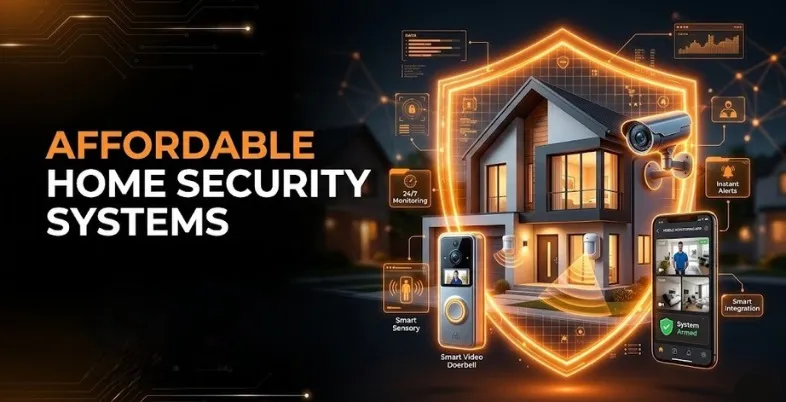
What would come to mind when you are thinking about home security? To most people, a home security system was associated with pushy salesmen, hard-wired systems that needed holes to be drilled on walls and a long contract at high monthly payments. Home insurance was a feud that was enjoyed by only the wealthy or those who lived in highly dangerous areas.
Today, in 2026, home protection is different. Security has become more accessible thanks to smart homes, improved wireless technology, and the Do-It-Yourself (DIY) movement. Affordable Home Security Systems now allow homeowners and renters to protect their houses, apartments, or condos without spending a large amount of money. Securing your home is no longer complicated or expensive, and you do not have to choose between safety and saving money.
Nonetheless, the number of low-cost security companies is increasing, which means you have many options to choose from. When most brands claim to provide the best protection at the lowest possible cost, it can be difficult to identify reliable systems among cheaper alternatives that may not work properly when you need them most. Ineffective systems that drop the Wi-Fi connection, trigger frequent false alarms, or take too long to send alerts are not as useful as they appear.
Why It’s Cheaper Now: The Evolution of Home Security
Today, homeowners can secure their properties at a fraction of the cost compared to the past. To understand this shift, it is important to look at how the home security industry has evolved over time.
Previously, companies like ADT dominated the market with complex wired systems. Installation required professional technicians who spent hours running wires through walls and attics while connecting sensors to electrical systems. Customers were usually required to sign long contracts lasting 36 to 48 months, along with expensive monthly monitoring fees. Ending these contracts early often resulted in large termination charges.
However, modern wireless technologies such as Wi-Fi, Bluetooth, Zigbee, and Z-Wave have completely transformed home security. Sensors now connect wirelessly to central hubs and operate on long-lasting batteries, eliminating complicated installations.
This shift created a growing DIY market where companies ship ready-to-install systems directly to customers. With simple mobile apps and adhesive sensors, most people can set up a complete home security system in under an hour.
What Makes a Home Security System “Affordable”?
You are going to think of how much it will cost you a home security system, but do not simply look at the box price. The actual affordability is achieved by considering the TCO in a few years. When shopping towards purchasing a system, subdivide the costs into four major sections:
1. Upfront Equipment Costs
This is the cost that you incur in the hardware. It will contain the base station (the brain of the system) , it will contain the keypad, the door and window contact sensor, the motion sensor, and any camera or environmental sensors (such as smoke or water leak sensors) you want to have.
Dress-up starter systems cost a simple way into the market with a price range of between $100-250. Watch out for the businesses who are selling Free Equipment – this is nearly a ploy that has a way of getting you tied up into a multi-year monitoring agreement and then you would find yourself paying more than three times the cost of the equipment and the server time by the end of the contract.
2. Installation Fees
The most important aspect of cost control is DIY installation. Professional setting up will cost between 100 and 300 and above depending on the complexity of your system and how large your house is. Its budget systems are such that any person can install a peel-and-stick personal computer user even without technical expertise.
3. Monthly Monitoring Fees
This is where the actual expense of a security system is. Professional monitoring implies that in case of the triggering of your alarm, a signal will be relayed to a 24/7 dispatch center. There will be an agent on duty that will attempt to get in touch with you and in case they are not able to do so (or even in case you confirm an emergency) they will automatically dispatch police, fire, or paramedics to your address.
This is a common service charged by legacy companies at a fee of between $40 and 60 and up. An equivalent of speedy dispatch is offered by affordable modern companies at between 10 and 25 per month. More than five years you will save a staggering 1800 by picking a cheaper plan of 20/mo inst. rather than 50/mo inst.
4. Hidden Fees and Contracts
The affordable systems are open. They do not need long-term binding contracts hence you can pause or unsubscribe to your monitoring without charges. Be mindful of activation fees, cellular backup fees or overcharging on the video cloud storage.
Must-Have Components for a Budget Security Setup
Online shopping makes it so easy to add a lot of gadgets when you have a tight pocket. Starting with the necessities is good to make sure that the price is kept at a low point.You will be able to add on later when you can afford it:
- Base Station (or Hub): this is the control station. It links all your sensors to the Wi-Fi and holds a carrier of a cellular backup chip and loud alarm.
- The Keypad: It works by opening or closing the system manually when entering or leaving. Rather, a phone application is being used by most people.
- Entry Sensors (Door/ Window Contacts): It is the most vital one. One of these should be placed at your front door, back door, and at any window that can be called to the ground floor easily. The alarm is activated when the two magnetic parts are separated as long as the system is on.
- Motion Detectors: A low-cost alternative to guarding a large facility. Rather than laying down a sensor on every window of the living room (15 sensors), place a single motion sensor, which costs 25 dollars, in one corner. When an individual comes inside the window sensors, the motion detector will pick him or her upon entry.
- Security Decals and Yard Signs: Nothing like an F-note. According to the studies, just the display of any security sign can drive away the burglars of your house and go to an easy target. These come free in most of the beginner packages.
Additional optional and recommended:
- Indoor/Outdoor Security Cameras: This is helpful in understanding what transpired when an alarm was triggered and also catching thieves who steal deliveries.
- Video Doorbell: An excellent solution to keep the front door safe and make conversations with people.
- Environmental Sensors: Smoke, carbon monoxide and water leak sensors that will be allotted in your main control center.
List of Top 5 Affordable Home Security Systems of 2026
1. SimpliSafe: The Best One on a Budget, Value, and Reliability
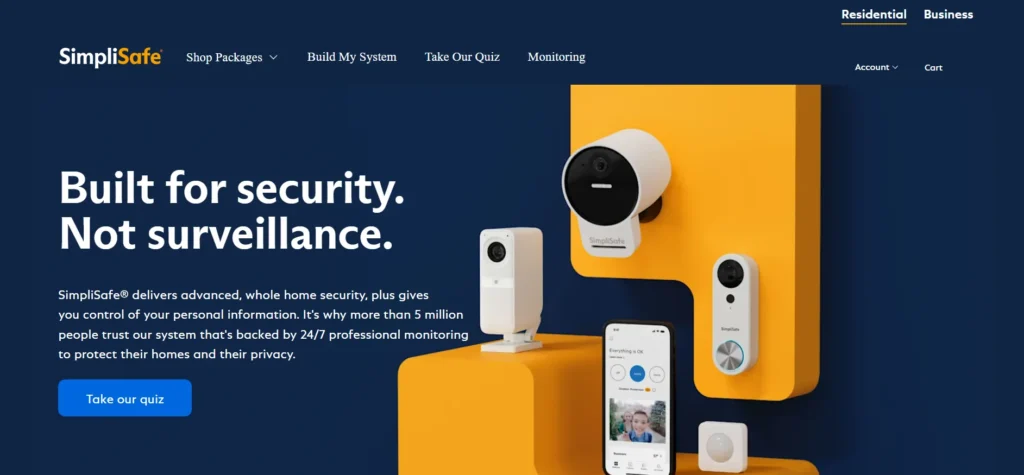
SimpliSafe began the DIY home security industry and continues to dominate in 2026. Their name explains everything, easier to install, easy to use and easy to pay. No wires in SimpliSafe are used, it is reliable and allows one to choose the sensors that are appealing to any household.
Equipment & Pricing:
SimpliSafe allows you to either assemble or purchase a system.
- The Foundation (Starter Kit): Approximately 250 (more so during sales). It has a base station, keypad, one door sensor, and one motion sensor. Good for a small apartment.
- The Hearth: About $410. It will come with a base station, keypad, three door sensors, motion sensor, 105dB alarm and smoke fighters. Good for medium homes.
- The sensors are small, matte white and the base station boasts of a glowing LED ring that displays the status.
Monitoring Costs: No contracts.
- Self-checking on the camera: 9 -99/month. You make use of the app and receive 30 days of cloud store.
- Standard Professional Monitoring: 24/7 assistance and included cell service in case of Wi-Fi malfunction: 22.99/month.
- Core / Pro Monitoring: $32.99–$49.99/month. Additional features such as Active Guard allow controlling agents to monitor your cameras anytime there is an alarm and speak directly to the intruder.
Pros:
- 15‑minute DIY install.
- No long-term or occluded contracts.
- Both cellular and battery backup.
- Fast 24/7 professional help.
- Frequent sales, 30–50% off.
Cons:
- Home work Smart Alexa and Google work, Apple HomeKit does not.
- Cameras are decent yet they are not as sophisticated as Arlo or Eufy.
Suggested Read
2. Ring Alarm: the Best with Smart Home Integrations and Alexa Profiles
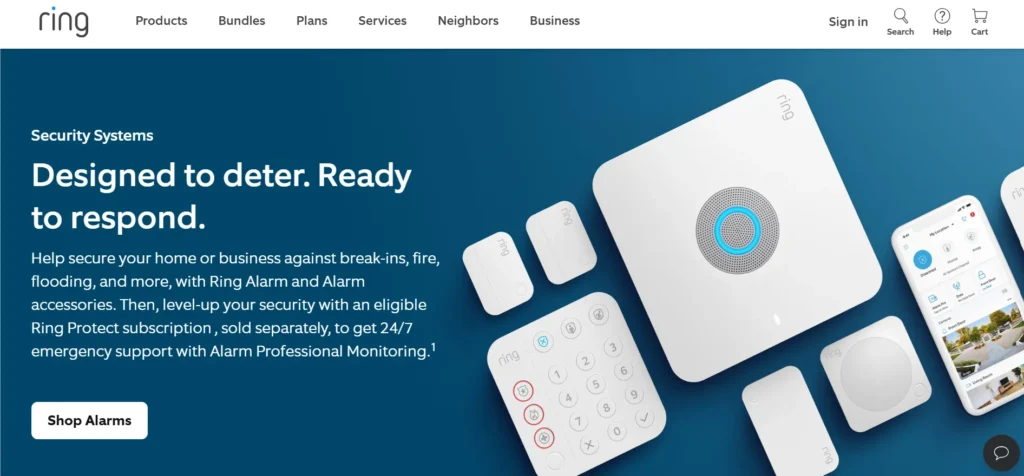
The Ring provided by Amazon is a highly affordable system and is compatible with Alexa. Ring Alarm is a must-have, in case you have Echo Dots or Echo Shows. You may, of course, equip the system with voice or look at your door on a smart screen.
Equipment & Pricing:
- 5‑Piece Alarm Security Kit: $199.99. It comes with the base station, key pad, single door sensor, single motion sensor, and a Z-Wave extender.
- 8‑Piece Kit: $249.99. Adds more sensors.
- Ring Alarm Pro: $299.99+. It is also an Eero Wi outer 6 Base station which is compatible with replacing your router.
Monitoring Costs:
- Basic Designed for Basic Crest, the new price is 3/month or 30/year. 60 days of video per doorbell or camera.
- Kindle option: $100/year or $10/month. Open-ended cameras per one place.
- Ring Protect Pro: 19.99/month or 199.99/year. 24/7 professional assistance, Cell backup, backup internet and increased warranty.
Pros:
- Works well with Alexa, routine Alexa commands such as lighting up the light when the alarm goes on.
- Republican monitoring price lowest professional cost (19.99/mo).
- Hundreds of indoor and outdoor high-rated cameras.
- Inbuilt Wi-Fi 6 router is value added.
Cons:
- No Google assistant or Apple homekit.
- Previous privacy fears, which have been solved with encryption.
3. Wyze Home Monitoring: The Ultimate Low Budget alternative
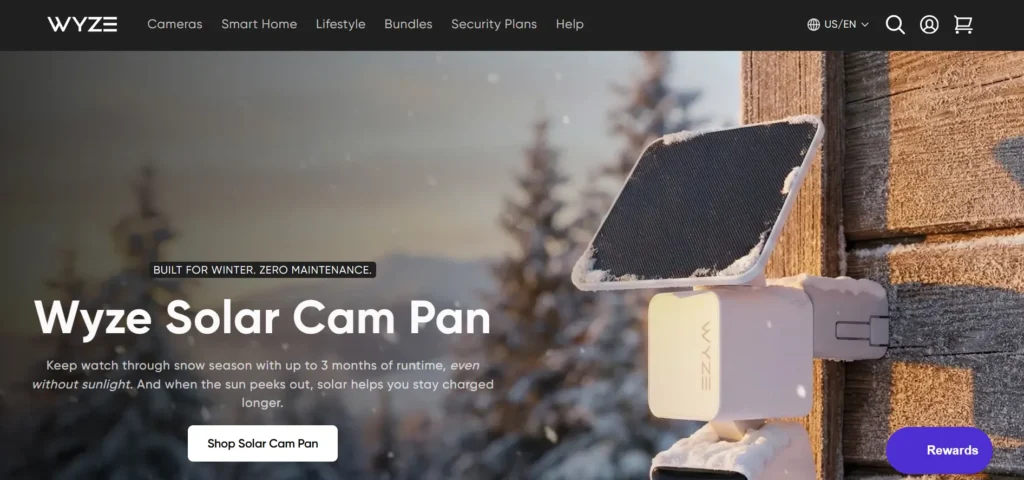
Wyze will assist you in case your funds are extremely low and you want to secure your home. Wyze offers smart home equipment at extremely low prices. Their home security system is cheaper than most in the home security market. Although it is low-priced, the hardware is reliable and functional.
Equipment & Pricing:
- Core Starter Kit: This one tends to total approximately 111.98 US Dollars with monitoring added. It consists of a Wyze Sense Hub, a keypad, two door/window sensors and one motion sensor.
- Add-on Sensors: Additional door/window sensors are cheap at $16 each or a set of three at $49 (or you can have a set of 3 sensors to monitor all the windows of a large house at a low cost).
- Cameras: Wyze Cam v4 begins at $35.98, 2.5K and awake night vision. On a single property, you are able to do this at a price comparable with premium cameras.
Monitoring Costs:
- Professional Monitoring:19.99/ month or 99.99/y. Precisely, with terms of less than 10 dollars monthly, you have 24-hour professional assistance
- CamPlus: If you have a camera, you can get a cloud recording option where you can record indefinitely with a fee of 9.99 monthly.
Pros:
- Smallest aggregate price on equipment and monitoring.
- Small, good sensors.
- Stylish, inexpensive, high-resolution cameras.
- No contracts.
Cons:
- Backup of cells is not in the base station; in case of Wi-Fi failure and power outage, it cannot make a call with help.
- Due to a large number of customers, customer help may be sluggish.
4. Abode: The Ultimate to Apple HomeKit and Smart Home Fans
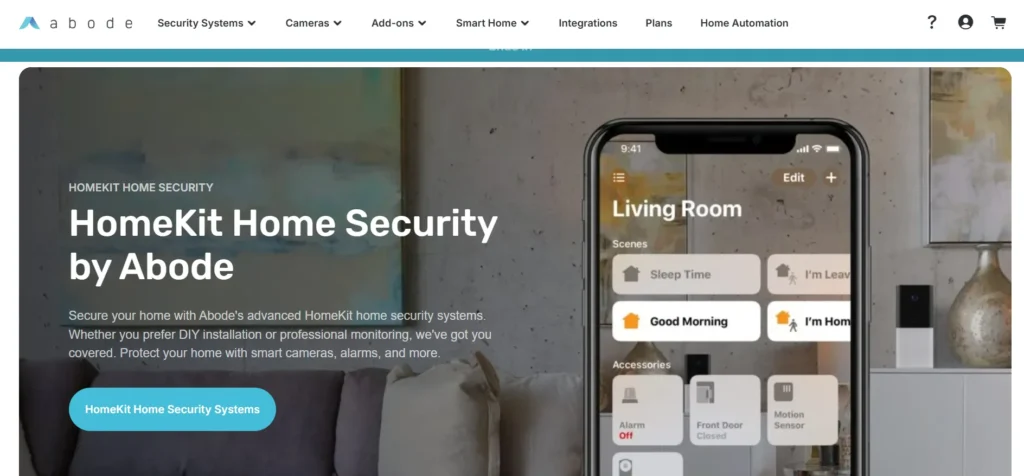
Abode is the best choice in case you are a technology enthusiast and you wish your security system to form the center of all your smart gadgets. Abode was designed to be compatible with other gadgets. It is among the limited number of DIY systems that work with the Apple HomeKit, Alexa, Google Assistant, Z-Wave, and Zigbee.
Equipment & Pricing:
- Abode Smart Security Kit: $199. It contains Gen 2 Gateway, one door / wind sensor, one motion sensor and key fob.
- Abode Iota Kit: High quality gateway along with an embedded camera and motion sensor.
- Add-ons: Being both a Z-Wave and a Zigbee hub, you can directly add the smart locks, bulbs and plugs of other manufacturers to Abode.
Monitoring Costs:
- Standard Plan: $6.99/month. Auto, good app alerts, and self existing monitoring.
- Pro Plan: 24.99 One month. 24/7 monitoring, cell backup and priority support.
- On-Demand Monitoring: Pay as you go: 3 or 7 days– perfect short travels.
Pros:
- Best integration to Apple HomeKit, Z-wave and Zigbee.
- Powerful automation ( “In front door opens after 10 pm off back door and turn lights off).
- Flexible monitoring.
- Looks good.
Cons:
- Add-on sensors and cameras are also expensive in comparison with Ring or Wyze.
- Most features can be excessive to non-tech users.
5. Eufy Security: Zero Monthly Fees and the Privacy Leader
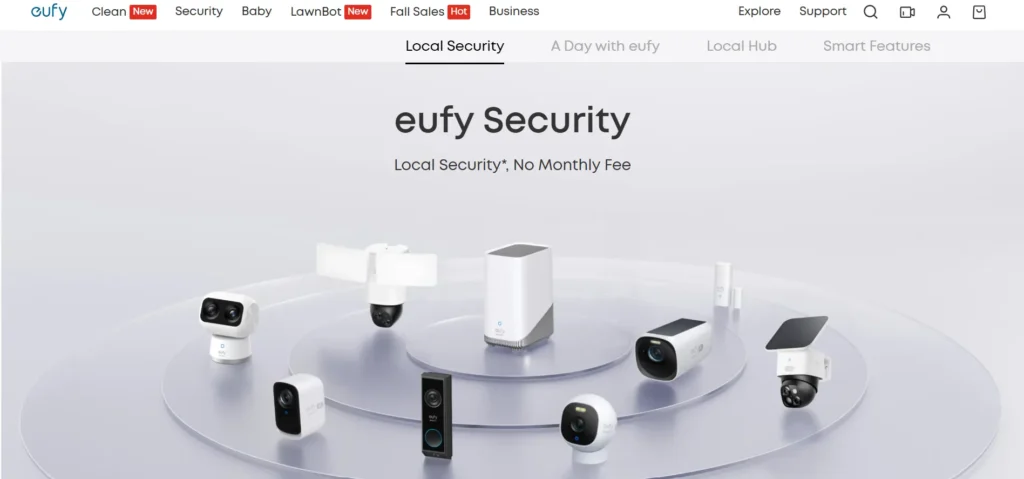
The other companies attempt to make you pay monthly fees. Eufy does the opposite. Eufy Security keeps all your data on local storage and makes your information confidential. Eufy will be a good option if you do not want a monthly cost throughout your life.
Equipment & Pricing:
- Eufy 5‑Piece Home Alarm Kit: $95–$150. It is HomeBase equipped, has a keypad, motion sensor, and two door sensors.
- EufyCam Bundles: The eufyCam3 is 4k and has solar panels that ensure the battery would last indefinitely. The HomeBase 3 belongs to 16TB capacity of local video storage.
Monitoring Costs:
- $0 per month. Eufy is a monitoring device that is self-observing. Monthly storage costs are non-existent since all the videos are stored at home in the HomeBase. In the event that the camera is stolen, a video of its occurrence has been recorded.
- Eufy currently sells optional professional monitoring at approximately 9.99 per month, but this system is intended to be purchased one time and is designed to be used indefinitely.
Pros:
- Against two or three monthly video charges and reminders.
- Great 4K cameras that can recognise faces.
- Local storage implies no corporate cloud.
- Solar cameras do not require changes of batteries.
Cons:
- In case something occurs, it will be your responsibility to call the emergency services.
- The cost of the first camera is expensive, and it does not attract any monthly fees.
Professional Monitoring vs. Self-Monitoring: Which is Right for You?
In the Systems above, one is going to notice a definite distinction between Professional Monitoring and Self-Monitoring. A decision on the appropriate one makes a difference in the amount of money you spend and the level of safety.
Self‑Monitoring
Having self-monitors, such as Eufy, or free versions of SimpliSafe and Ring, the system prevents the intruders in your vicinity and alerts you. When a window is opened, the base station bell will be raised, and the phone will give a push notification.
- The Pros: It is practically free (which is frequently free of charge). You are in charge of everything yourself.
- The Con: The system is based on you. When you are sleeping, on an airplane, in a movie theater, or without any cell signal you will be missed with alerts. The siren will frighten a burglar, but still to call 911, nobody will arrive. Moreover, in case there is a fire, in your phone, a smoke alarm message will not be useful in case you are inside the house or are not around.
Professional Monitoring
Professional monitoring adds the Wi-Fi and a cellular backup to your system which makes them connect to a 24/7 dispatch center. When a signal is received, an operator receives it immediately when an alarm is sounded. They call your phone. Provided that your safe word is said, they would cancel the alarm. In case you fail to reply or they suspect you are in trouble they immediately call the police or emergency services.
- The Pros: Assures one a lot of peace. You are even guarded throughout the day and the day, even when you are miles away. A large number of insurance companies will offer you a 5-20 percent discount on your policy in case you have a professionally monitored system which will often cost you less than your subscription fees!
- The Cons: It needs a monthly fee (around 10-25 dollars in case of budget systems).
The Verdict: Provided that you can afford to spend an additional $15 to 20 dollars every month, you should go with Professional Monitoring. Life is unpredictable and that is why there is a security system as the people are ready to call emergency services.
How to Choose the Right System for Your Needs
Not yet decided about the best 5 systems to select? Choose one and suit your place of residence and purposes.
- In the case of the Renters and Apologies:: You need a system that does not need drilling or it does not have to damage the paint and can be easily packed during a move.
Best Choice: SimpliSafe or Wyze. Their peel and stick sensors are ideal to use in the apartments, and their smaller starter kits come with everything to secure one front door and a few ground floor windows.
- For Large Homeowners: You require a system that is extensive enough, capable of conversation during a great distance as well as capable of engaging numerous outdoor cameras and floodlights.
Best Choice: Ring Alarm. The Ring Alarm Pro features an inbuilt Wi-Fi mesh router that ensures sensors and cameras are always connected regardless of the size of your house. There is high notch perimeter protection with numerous outdoor floodlight cameras installed by Ring.
- For Privacy Advocates: A closed-loop system may be preferred in case you do not want a big technology company to store your indoor camera footage.
Best Choice: Eufy Security. The HomeBase has a local storage where it stores your data in your house. No subscriptions, no cloud, no corporate.
- For the Smart Home Techie: In case you would rather see your door unlock automatically as you come into the house, you would also like your thermostat to adjust and your alarm would shut down without using a second button press.
Best Choice: Abode. It supports Apple HomeKit and can be used as a Z-Wave hub, and therefore is the most appropriate to home automation enthusiasts.
Practical Tips for Securing Your Home on a Budget (Beyond the Alarm)
The initial one is to purchase a cheap security system. Electronic sensors are not the only things required to provide good home security. The following are some of the free or cheap methods of making your home a lot safer.
- The 9 PM Routine: The majority of burglary occurs when a burglar notices an open door or window. At 9 00 p.m. make sure that all the ground-level windows are locked, there are deadbolts in their locks and the garage doors are shut.
- Tactical Landscaping: Bandits such as dark places. Prune bushes to allow the front windows to be seen in the streets and porches. This renders it difficult to make them hide and attempt to infiltrate.
- Motion -Sensor Lighting: Good lighting deters burglars. Buy a motion sensor floodlight that costs 30 in a hardware store. Plant it out in front of your driveway, side gates and your backyard. The light will be turned on as a person passes by scaring them away.
- Support Your Strike Plates: It is not the door lock that is the weakest part, it is the door frame. Get a heavy metal strike plate costing approximately $10 and 3 inch steel screw. Installing it and kicking the door becomes extremely difficult.
- Capitalize on the Yard Sign: Have a yard sign with your security company in front of your house and window stickers on the back sliding doors. Breakers seek the easiest way in. This means that the thief will not approach the house of their neighbor with a SimpliSafe sign even if you also have a SimpliSafe sign.
Conclusion
The notion that their home security is expensive is eliminated. In 2026, technology is used to ensure high-quality and fast responsive home security is offered to all people regardless of their affordability.
By choosing one of the current DIY systems like SimpliSafe, Ring, Wyze, Abode, or Eufy, you will be able to secure your family without having to waste your money on expensive contracts and installation fees. It offers either a paid professional monitoring plan of 10 a month or a free local-storage system. It is very calming to know that your house is safe.
Now is a good time to purchase a cheap home security system because you need to examine your living conditions, calculate the amount of money you can spend on equipment and monthly expenses. Ultimately, the true meaning of security is not its price but the feeling that when one sleeps, his or her house is secure.
FAQs
1. Are Home Security Systems Installed By DIY People As Secure As Those That Have Been Set Up By Professional Bodies Such As ADT?
Yes, absolutely. The systems of the cellular backup, encryption, and wireless radio are the simple technologies of a modern DIY system of reputable brands that can be utilized by professional ones. All that you do is to install the sensors to the door yourself. The monitoring centers of brands such as SimpliSafe and Ring are certified and can contact the police as quickly or even more quickly than the old companies.
2. What Might Become Of My Wireless Security System In Case Of Power Outage Or When My Wi-Fi Network Connection Is Lost?
This is a key feature to check. Affordable good systems such as SimpliSafe and Ring include base-stations with non-removable rechargeable batteries that store sufficient time to run the system 12–24 hours in case of power outage. In case you have paid to be monitored teamed by a professional, then the base stations also have a secret cellular chip that can be connected either to a network like AT&T or Verizon. In case your Wi-Fi fails, the system will automatically change to the cellular network to allow the alarm to notify the dispatch center.
3. Would My Pets Be The Victims Of The Motion Detectors?
Majority motion sensors have been developed to overlook pets that are up to 40–50 lb. They pick up the passive infrared to identify body heat. Nevertheless, even a large dog or a cat moving close to the sensor on the heavy furniture may trigger a false alarm. To prevent this, invert the sensor i.e. have the sensor facing the ceiling or put in place glass-break sensors in the rooms rather than using motion detectors.
4. Would My DIY Security System Go With Me To A New Dwelling Place Or Apartment?
Yes. This is a significant benefit of the current low-cost systems. It is not hard wired and therefore can be just unstuck by simply unplugging the sensors at the base station, packaging them in a box and installing them at a new house. All that is needed is to simply log into the app, state your new address so that the monitoring center receives information about where to dispatch help, and no transfer fees or new appointments are required.
5. Is A Permit Required In Running A Home Security System?
It is a matter of local regulations. Homeowners living in many cities and counties are encouraged to have the system registered and receive a small alarm permit which might cost them between 10 and 50 a year. This assists the police departments with the tracking of systems and emergency contacts. In certain locations, a person is fined as well because of excessive false alarms. You will want to check the site of your city to find out whether you will require a permit before you turn on professional monitoring.