
Slow internet speed, lack of stable video call connection, netflix buffering in the bedroom when the router is in the living room are all too frequent problems. Millions of families worldwide experience intermittent WiFi coverage every day and the issue is growing bigger on a daily basis as the number of connected devices in each household keeps increasing.
More than 93.1 percent of Americans estimated 332.1 million people, in 2025, report using the internet, and 85 percent of Americans consider it as a basic utility similar to electricity or water.
Nevertheless, there are dead zones and weak signals, which remain a problem in many homes. The increasing demand for reliable connectivity across both WiFi 5 and WiFi 6 networks has contributed to an expanding industry. In 2026, the WiFi range-extender market is estimated to have reached USD 2.91+ billion and is projected to grow to USD 4.99 billion by 2030 (an estimated annual growth of 11.39%), driven by the rise of smart homes, hybrid work models, and the need to extend WiFi reach beyond what standard routers can handle.
WiFi extenders and WiFi boosters are the things that people seek as the solution. The keywords are interchanged at Amazon, technical forums, and even by the manufacturers, which is confusing. This guide describes the purpose of this or that device, its functionality, its strong areas, and the one that is most suitable at home in 2026.
In this blog, we have explained WiFi extender vs booster, including their differences, working, speed impact, coverage, and how to choose the right solution for your home.
What Is a WiFi Booster?
Wi-Fi booster is such a general phrase that it can be used to mean the devices that improve your Wi-Fi signal. The booster is technically used to amplify the signal of a router and re-publish it. In informal usage, particularly in the retail industry, the word is used carelessly to include extenders, repeaters as well as mesh nodes.
That is to say, all WiFi extenders would be considered as boosters, but not all extenders would be boosters. The term booster is used to refer to the objective such as a stronger and more desirable signal as opposed to a specific technological enhancement.
How Does a WiFi Booster Work?
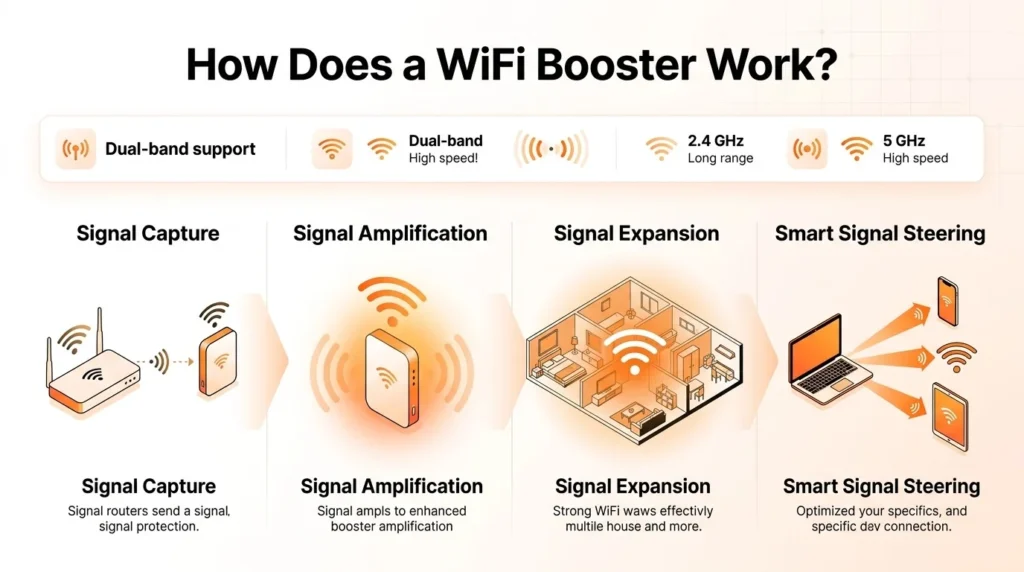
A WiFi booster picks the signal of your router and strengthens it within the gadget and thereafter, broadens the signal to reach more distance. Majority of home boosters operate on 2.4 GHz or 5 GHz -both if they are two-band. The amplified signal is able to cut walls, floors and other hindrances compared with a weak signal transmitted by a router which is far down the line.
Most of the high end boosters include signal steering. This technology instructs the more powerful signal into your devices rather than respecting it as it would have been in all directions. It helps network to work in a more efficient manner and reduces interferences.
Types of WiFi Boosters
The various types of devices that are classified under the WiFi booster umbrella include:
WiFi Repeaters: the cheapest and most popular. A repeater picks the current WiFi signal and retransmits the same. It basically forms a second network but since it operates on the same channel and band as the router, it is able to reduce your bandwidth available by half.
WiFi Extenders: WiFi extenders might come in same category as booster; however, they should be listed separately. Probably they connect to the router using a dedicated backhaul channel to maintain a higher bandwidth.
Powerline Adapters: These are the devices that are used to transmit the internet data on your electrical wiring of your home. The connector is installed in one of the sockets proximate to the router; the other connector in the distal room transforms this electrical signal into WiFi or a wired connection.
Mesh Network Systems: The most sophisticated WiFi booster. A mesh system does not rely on a point of amplification as in the case of a single point but it incorporates numerous nodes that are located around the house. The nodes communicate with each other, creating a single network and not a few independent extensions that are not part of each other.
What Is a WiFi Extender?
A WiFi extender sometimes referred to as a range extender is a gadget that intercepts the existing wireless signal of your router and relays it to increase the coverage of your network. WiFi extender is a specialized type of hardware, unlike a generic booster, which has clear technical properties. The majority of extenders fit into a stereotypical wall outlet, and, therefore, can be easily installed without specialized skills.
How Does a WiFi Extender Work?
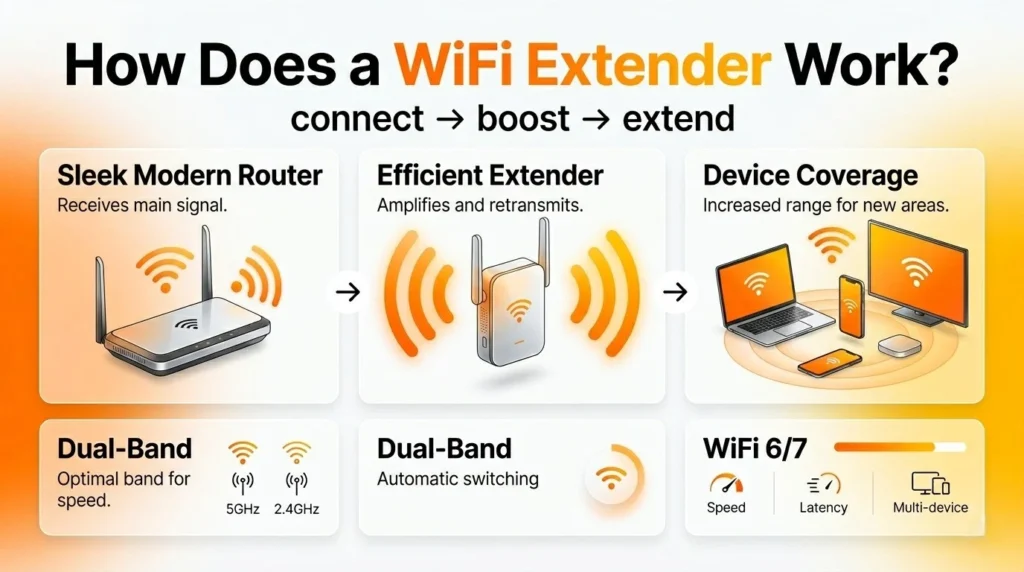
Extender is a WiFi device which works in two stages. First it can be connected just like any laptop or smartphone to your router in the wireless area. Second, it transmits its own extended signal on its own radio. This establishes the second network which machines can belong to in cases when they are not within the coverage of the main router.
Improved extenders operate in dual-bands. A single band of 5GHz frequency is used to maintain the backhaul connection to the router and a second band of 2.4GHz frequency is used to connect to the device. This division circumvents the speed limitation of the single band repeaters. Modern WiFi 6 and WiFi 7 extensions provide additional features like OFDMA and MU-MIMO to provide the provision of multiple devices at the same time with low latency.
Are WiFi Extenders the Same as WiFi Repeaters?
It is one of the last questions that one asks in the home networking world and the straight to the point answer is: they are the same, yet they are not exactly the same.
A WiFi repeater will retransmit the signal of the router on the identical wireless channel that the router was transmitting it. It implies that it has to transmit and receive the data at the same time with the use of the same radio, which halves the available bandwidth. A repeater uses its own separate network name (SSID) hence you usually have to manually switch networks as you change locations through your house.
A WiFi repeater is a higher developed type of WiFi extenders. Although older extenders operate just like a repeater, newer extenders (dual-band and tri-band models, in particular) are operated via a dedicated wireless channel in the form of a backhaul connection with a router. This substantially lowers the bandwidth cost. A number of existing extenders can also be configured with such functions as OneMesh, TP-Link, or the Smart Roaming functions by Netgear that can help your devices to auto-migrate between the primary router network and the extended network without manually switching networks.
Simply stated: The repeaters are a kind of extender, and yet not all extenders are repeaters. You should look at a range extender when purchasing a device instead of a repeater in case you want something more advanced.
Suggested Read:
Key Differences Between WiFi Extenders and Boosters
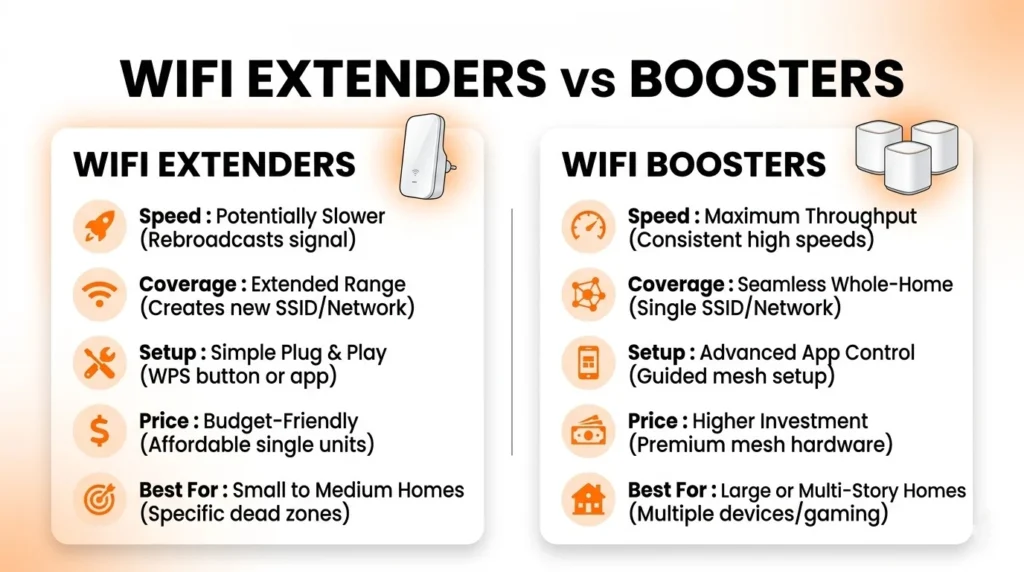
Due to the nature of the term booster being a generic term, therefore, this section will compare the WiFi extenders (under this umbrella term) with the category of WiFi extenders (powerline adapters and mesh systems).
Speed and Performance
The most evident differences can be observed in terms of speed. The WiFi extenders do not also make the ideal eco-friendly solution, and reduce the speed of your WiFi by an estimated half. As an illustration, even if 200 Mbps is the average speed of your router, the extended network will most likely be limited to approximately 100Mbps.
This sluggishness occurs since a single-radio extender will be required to allocate some of its bandwidth to an outgoing transmission containing some data sent to your gadgets, as well as reception of data being sent by the router. Dual-band extenders are beneficial due to the fact that each task is assigned its band yet some performance overhead is present.
Mesh systems are developed especially to minimize this punishment. The nodes connect with each other using wired or wireless links of back-haul to maintain high throughput on the whole network. A mesh system will always beat a conventional extender in terms of streaming, gaming or remote-work needs in homes that are heavy.
Area of Coverage
The simple WiFi extenders are practical when it comes to local coverage – one dead-zone room, a home office, or a garage. Mid-range extenders are mainly used in areas that are 1,500 to 2,500 sq ft, which is why they are ideally implemented in targeted areas.
Mesh systems focus on covering whole-homes. With a bank-to-bank seamless, uniform signal, a three node mesh is capable of covering 4,500- 7,500 feet. It has been found that in a multi-story structure, a concrete structure, a large open-plan design, or brick wall, then a mesh system would provide a level of coverage which would otherwise be greeted with a single extender.
A good example is that there is a particular dead zone in an average-sized house and an extender will make your problem resolved. A mesh system is more robust in case you require constant WiFi in a larger area, say 3,000+ dashes ft., of a house.
Ease of Use
The WiFi extenders are superior in simplicity. The majority of contemporary models, in particular, plug-in models by such brand names as TP-Link and Netgear can be installed within several minutes with the help of a companion application. You just plug up the device, open up the application and proceed to a couple of on-screen directions. No technical skills are required and you do not need to make any changes to your service plan or router.
Mesh systems are more complex and time-consuming to install since a user has to install several nodes all over the house and set up each node. In spite of mesh kits becoming more user-friendly, the initial installation is still longer than an extender.
Powerline adapters are halfway in the meantime. The hardware configuration is straightforward, yet they may be allergic to the nature and area of electrical wiring in the houses which propagates inaccurate performance in some instances.
Pricing
The cheapest is the WiFi extenders. Entry level extenders cost approximately 25-35 dollars, and the mid range dual band WiFi 6 versions are normally priced at 50 to 100 dollars. Premier WiFi, 7 extensions offered by such manufacturers as Netgear and TP-link are between 100-150.
Mesh WiFi represents the high end segment of the category of boosters and usually range in price between 150 and 500- or higher in the case of a multi-node kit. In the homes where the solution only requires the removal of one dead zone, this may seem excessive both in terms of price and sophistication. Nevertheless, in the case of big houses, which need to be covered with a blanket, the costs of a mesh system are justified by their ability to establish regular functioning and less frustration.
Does a WiFi Extender Slow Down Internet Speed?
This is indeed one of the most significant facts that one must learn prior to purchasing a WiFi extender.
A WiFi cellular repeats the signal of your router. It can remove areas of dead air, although half the speed is normally reduced. As an illustration, when you have 200 Mbps you usually have, the extender will only allow you to have around 100 Mbps.
Speed reduction is due to the fact that a single band offerings accomplish a single radio channel between receipt of information by the router, and transmission to the connected equipment. Since the two jobs are performed through the same channel, the throughput is divided between the two effectively reducing the bandwidth by half.
This speed penalty can be reduced in a number of ways:
- Select a dual or a tri band extender. The models will allocate a band as a backhaul connection to the router and allocate the rest of the band(s) to serve your devices. This distance causes a big decrease in the bandwidth penalty and this is why the current WiFi 6 extenders are far much better than the outdated single-band ones.
- Backhaul should have a wired connection. When your extender has an Ethernet port and you can make a cable that is disk-out to the point of the extender, then the backhaul is wired. This gets rid of virtually all wireless bandwidth handicap and allows the extender to perform at rates nearly equivalent to those of your router.
- Strategically position the extender. PLACE it too far away around the router and one will be getting a weak signal which will become weaker once it goes further. Install the extender in the middle between the router and the dead zone, and in a location where it will still receive a good signal (three or four bars on your phone).
- Upgrade to either WiFi 6 or WiFi 7 model. These most recent standards leverage on effective transmission systems like the OFDMA and MU-MIMO, which allows a single radio to be shared by several devices. The total throughput loss is still present, but the physical effect of the same on individual devices is hugely reduced compared to previous WiFi 5 extenders.
To the vast majority of common everyday applications, such as: web browsing, HD video streaming, video calls, and smart-home devices, any loss in speed that comes with a good extender should not be easily felt particularly when your base Internet plan is 100+ Mbps or higher. The drop in speed can be a problem, however, only during periods of peak demand like using 4K streaming on a variety of devices, during competitive games where low latency is needed, or during heavy downloads of large files. A mesh or wired Ethernet connection, in such situations, is a better long-term solution.
It’s also important to understand WiFi vs Internet, as extenders improve signal coverage but do not increase the actual internet speed from your provider.
Best WiFi Extenders and Boosters in 2026
Top 3 WiFi Extenders
1. TP-Link AX3000 WiFi 6 Range Extender (RE715X)
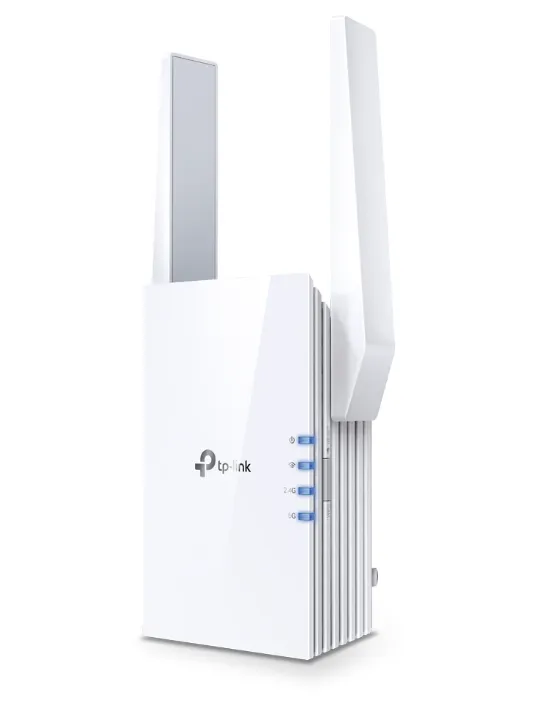
The TP-Link RE715X is what is regarded by Cnet as the overall best WiFi extender to purchase in 2026. It combines Wi-Fi 6 technology and an otherwise accessible price, which makes it the best purchase suggestion in most households.
The TP-link RE715X is a 2 band Wi-Fi 6 plug, which can provide a combined speed of 3 Gbps. It has a channel width of 160MHz on the 5GHz band, which is an upgrade in comparison with most rival extenders within its price bracket, and has a Gigabit Ethernet port to use with wired equipment in the extended coverage zone. It is compatible with the OneMesh technology of TP-Link, and it will be used together with compatible TP-Link routers in a single network.
Key Features:
- WiFi 6 (802.11ax) dual‑band support
- Speeds of 3 and faster (2.4GHz and 5GHz) – Combinable.
- 160MHz channel width to increase the faster throughput.
- Gigabit Ethernet port
- EasyMesh and OneMesh compatible
- TP‑Link Tether app setup
- 2,400 sq. ft. coverage, supports 64 devices.
Pros:
- Excellent prices/speed category.
- Supports most major routers made by any major ISP like Xfinity and Spectrum.
- App-based, easy, set up process.
- Wi-Fi 6 standard futureproofed.
Cons:
- Plug-in size obstructs neighboring wall sockets.
- Not outstanding but great coverage range on large houses.
- OneMesh is restricted to the TP-Link router ecosystem.
Price: $89.99 (Amazon) / $109.99 (Walmart)
Official Website: tp‑link.com
2. Netgear Nighthawk WiFi 7 Range Extender (EXS27)
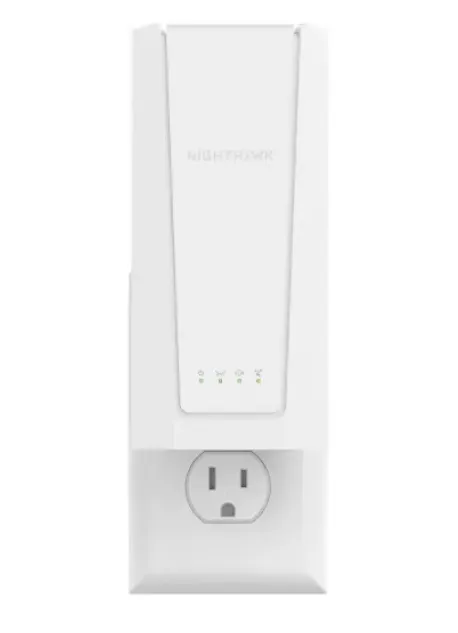
The Netgear EXS27 will be the best extender in terms of next-generation performance sought by households. It operates under the WiFi 7 which provides speeds and reliability way beyond most 2026 extenders.
The Netgear EXS27 is a dual band WiFi 7 extender with the potential to achieve a total speed of 5 Gbps. It exploits Multi- link Operation (MLO) of WiFi that allows linked gadgets to transmit and obtain data on various frequencies simultaneously, thereby reducing latency in addition to enhancing trustworthiness. The extender is also equipped with Netgear Smart, as Roaming and a smooth, vertical design that is not as conspicuous as the typical plug-in extenders.
Key Features:
- WiFi 7 (802.11be) dual‑band with MLO
- Combined speeds up to 5 Gbps
- Smart Roaming to be seamlessly connected.
- WPA3 security
- Supports up to 45 devices
- Adds 1,500 sq. ft. of coverage
Pros:
- WiFi 7 technology that is future-proofed.
- MLO minimizes latency as compared to older extenders to a great extent.
- Smart roaming eliminates the process of switching networks manually.
- Superset game support with Xfinity and Spectrum gateways.
Cons:
- Premium price – unwieldy to users that have WiFi 5 routers.
- Full WiFi 7 requires WiFi 7 -compatible client devices.
- Its range of coverage is small against the price.
Price: ~$149.99
Official Website: netgear.com
3. ASUS RP-AX58 WiFi 6 Range Extender
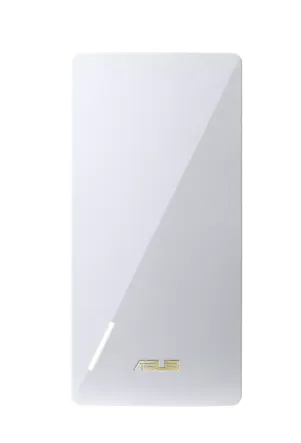
In this regard, the ASUS RP -AX58 is a solid mixture of performance, range, and pricing that positions it in the top tier of extenders in 2026, particularly in homes with extended structures or ones with high bandwidth needs.
ASUS RP -AX58 is a 2-band Wi-Fi 6 extender with a maximum combined speed of 3Gbps and range of up to 2,200 square feet. It supports channel width of 160 MHz and is compatible with any router brand which makes it one of the best options to use in households where ASUS networking equipment is not used. It is also compatible with the ASUS AiMesh system, which means that it can be later extended to a full mesh network.
Key Features:
- 160 MHz 6 Wi-Fi, dual-band.
- Combined speeds up to 3 Gbps
- Coverage up to 2,200 sq ft
- AiMesh with expansion in the future.
- Works with any router brand
- Supports Fios and Xfinity and Spectrum on Verizon.
Pros:
- Superior interbrand router support.
- AiMesh integration will have a defined upgrade path.
- There is high consistency in independent test upload speeds.
- Modern, low‑profile design
Cons:
- A little pricier than the TP-Link RE715X with similar features.
- AiMesh capabilities are best utilized in the ASUS system.
- No Wi‑Fi 7 support
Price: $79.99–$99.99
Official Website: asus.com
Top 3 WiFi Boosters (Mesh Systems)
1. Amazon Eero Max 7 (3-Pack)
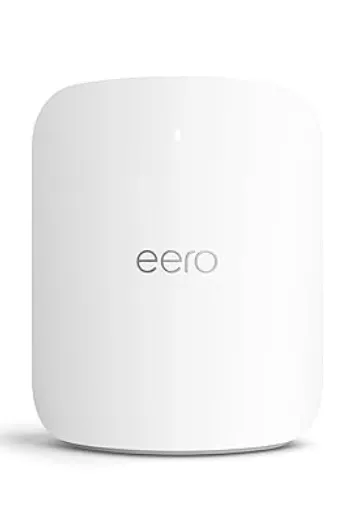
The Eero Max 7 is the standard of the entire home WiFi coverage in 2026. It will be created to meet the needs of the most demanding family and will offer blazing-fast speeds, superb device capacity, and flawless compatibility with the Amazon ecosystem.
The Eero Max 7 is a triple-band WiFi 7 mesh Network that accommodates internet plans of up to 10 Gbps. The nodes have a 2.5G wired backhaul and 4 extras Gigabits Ethernet ports and a real wired backbone between nodes when necessary. The 3 pack one is an up to 7,500 sq ft unified and self optimized network.
Key Features:
- Tri‑band WiFi 7 mesh
- Supports internet speeds up to 10Gbps.
- 7,500 sq ft coverage (3 pack), extends 750+ locations.
- 2.5 Gbps wired backhaul support
- Built‑in Alexa integration
- Automatic updates and network surveillance in the Eero app.
Pros:
- Industry-leading universal coverage.
- A smooth linking of Alexa and smart-home.
- Re-routes automatically mesh reroutes in case a node fails to maintain connection.
- Exceedingly easy installation using the Eero app.
Cons:
- Premium price- is one of the higher priced mesh systems available.
- There is an upgrade of advanced features, such as Eero Plus (security/parental controls).
- Oversizing on smaller houses or apartments.
Price: $699.99 (3‑pack)
Official Website: eero.com
2. NETGEAR Orbi RBK863S WiFi 6 Mesh System (3-Pack)
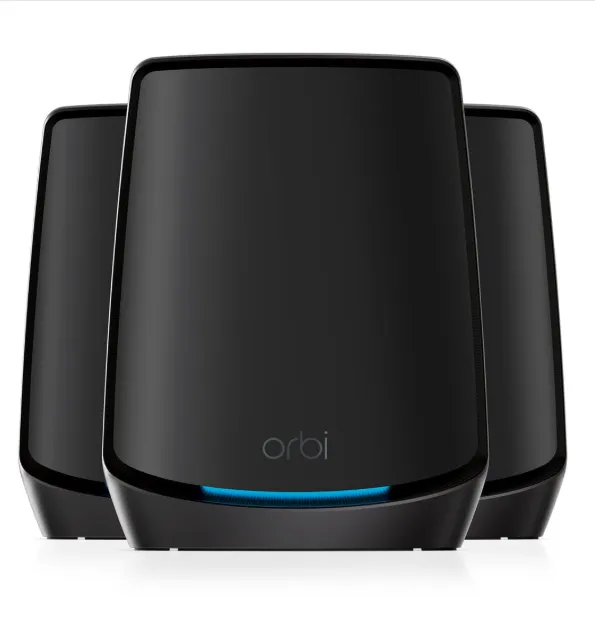
The Netgear Orbi RBK863S is a strong mesh system capable of high throughput and with an exclusive tri band backhaul. It is the optimal option where homes require high bandwidth which can take 4K streaming, VR gaming, and large-scale remote working.
The Orbi RBK863S is capable of a combined tri-band speed of up to 6Gbps and a dedicated 4×4 5GHz backhaul between the router and satellite modules. This prevents competition with the backhaul by client devices, which can be a critical benefit against basic mesh systems. The three packs are over 7,500 sq ft.
Key Features:
- WiFi 6 3-band, including backhaul.
- Combined speeds up to 6 Gbps
- Coverage: 7, 500 sq ft (three packs).
- Supports up to 100 devices
- The unit includes 2.5Gb WAN and four 1G Ethernet ports.
- Orbi and superior parenting controls and traffic-managing characteristics.
Pros:
- The backhaul is dedicated eliminating the speed loss that is evident with the traditional extenders.
- Regular high coverage area throughput.
- Powerful security and parental monitoring facilities.
- Best in families that have upto 20 gadgets online simultaneously.
Cons:
- High price
- It is bigger when compared to numerous rival mesh structures.
- It can only be enjoyed in an internet multi-gigabit plan.
Price: $399.99-$549.99 (3-pack)
Official Website: netgear.com/orbi
3. TP-Link Deco XE75 Pro WiFi 6E Mesh System (2-Pack)
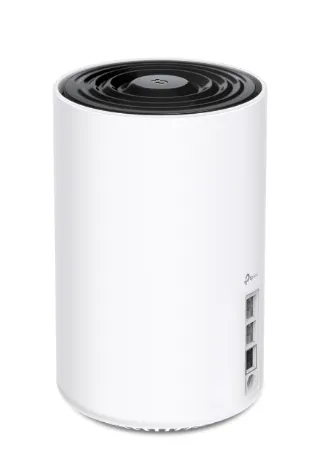
TP-Link Deco XE75 Pro makes Wi-Fi 6E perform with an ultra-fast speed of 6 GHz long distance band to the average price, which is double the amount of money that families desire not to spend on.
The Deco XE75 Pro is a 6E node multi-band Wi-Fi capable of operating on the 6GHz band exclusively as a high-speed node backhaul. Its cumulative speed (as high as 5,400 Mbps) and coverage (up to 5,500 sq ft, two packs) are allowing it to offer almost router-like performance in any room. The system works with the TP -link Deco app to enable easy configuration and management of the network.
Key Features:
- Wi‑Fi 6E tri‑band (2.4 GHz + 5 GHz + 6 GHz)
- Combined speeds up to 5,400 Mbps
- 5500 sq.ft. coverage (2 pack), covers 200 plus devices.
- Maximum performance at 6 GHz band with known functionality with backhaul only.
- 2.5 Gbps WAN/LAN port per unit
- QoS management and parental controls Deco app.
Pros:
- The backhaul at 6GHz practically removes the percentage of speed loss that is experienced in other standard extenders.
- Good value ratio of price to performance of Wi-Fi 6E system.
- Scalability is highly rated – it is possible to add more Deco nodes when required.
- Minimalistic and clean design that fits well in the home space.
Cons:
- The band advantages involve 6Hz in devices with Wi-Fi 6E.
- Homes larger than 5,500 00 sq. ft. may require more than two-packs.
- No Wi‑Fi 7 support
Price: $199.99–$249.99 (2‑pack)
Official Website: deco.tp-link.com
Wifi Extender vs Boosters: Which One Should You Buy?
The answer is not the same; the appropriate option will be the one that fits your house size, the Wi-Fi problem that you are facing, your finances, and the amount of technical labor that you are ready to perform.
Choose a WiFi extender if:
- You have a case of one dead area in a room (bedroom, basement, garage or office) with the other areas of the house covered.
- You are on a tight budget and require a fast and cheap solution.
- You are leasing and are not able to make changes to the structure.
- You have a plan less than 300Mbps, thus despite the halved speed of an extender, you will be able to use a significant amount of bandwidth in your daily routine.
- You are in need of a plug and play device that has minimal set up.
Select a WiFi booster (mesh system) if:
- Your house is not a small ( 2,500+ sq ft or multi-story) one and you require some coverage all around.
- WiFi is largely debilitated when it comes to thick concrete, brick or plaster walls.
- You have 15 or more devices in your home and they are all competing with each other.
- You are a home worker working with video, cloud and VoIP with low video, cloud and VoIP latency required.
- You are replacing your router and looking to buy long-term, all in one.
- WiFi issues are experienced in one place or another.
WiFi extenders are a cost-effective and efficient way of solving a certain issue. Mesh systems cover the needs of the entire home WiFi, but are more expensive and more challenging. A WiFi 6 extender dedicated to extending the reception of a 2-bedroom apartment or small one-story house should be a good choice and cost between 70 and 100 dollars depending on the brand (TP-Link or Netgear). You will be glad to purchase a mesh system in a big suburban house with many levels and numerous streaming gadgets to enhance your daily WiFi experience.
Final Verdict
In conclusion, understanding the difference between WiFi extender vs booster is essential for choosing the right solution for your home network. While the term “booster” is often used broadly, WiFi extenders are specific devices designed to expand coverage in targeted areas. They are affordable, easy to set up, and ideal for eliminating dead zones in smaller spaces. However, they may reduce speed, especially in single-band models.
On the other hand, advanced booster solutions like mesh systems provide seamless coverage, better performance, and support for multiple devices, making them suitable for larger homes or heavy internet usage. The right choice ultimately depends on your home size, internet needs, and budget. If you need a quick fix for one room, an extender works well. But for whole-home coverage and consistent performance, investing in a mesh-based booster system is a smarter long-term solution.
FAQs
Q: Does The Use Of A WiFi Extender Work With A Router?
A: Yes, the majority of extenders are compatible with any standard router including any ISP gateway or even third party brand. Certain higher-end features, like seamless roaming and the integration of OneMesh/AiMesh are most effective within. the ecosystem of the specific brand but low-level extension capabilities are universal.
Q: What Is The Best Way To Use WiFi Extender Without Internet Speed Slowing Down?
A: Actual speed of single-band extenders or repeaters usually half the speed. The dual-band WiFi 6 extenders common today mostly circumvent that punishment, in such a system with one band dedicated to the backhaul, and the other to client traffic. Wire connection of the extender through wired Ethernet practically does not reduce the speed.
Q: Are WiFi Extenders Compatible With Xfinity, Spectrum, And AT&T?
A: Yes. The majority of popular extenders are compatible with the Xfinity, Spectrum, AT&T, and Verizon Fios gateway routers, and other provider gateways of the largest size. Look at the compatibility of the manufacturer (before purchasing).
Q: Is It Better To Purchase WiFi 5 Or WiFi 6 Extender?
A: In 2026, choose a WiFi 6 extender. It is more efficient, latency is reduced, and much faster than WiFi 5. The prices are already similar, and thus WiFi 5 provides a minimal advantage. A WiFi 7 extender might be beneficial to you in case you have a high-end router and WiFi 7 devices.
Q: Can I Use Multiple WiFi Extenders In A Single House?
A: Yes, but that is not a good idea. Daisy-chaining extenders are very unfriendly in cutting speed and they leave the network confusing with numerous SSIDs. A mesh system is more convenient to handle and dependable when covering a number of areas.