
Linux eco-system is immense, and when it comes to different users and developers trying out what is offered by the system, two names always appear at the top: Debian and Ubuntu. No matter whether you are an interested Windows escaper, you are putting together your first development environment, or you are fed up with spending money on software, you have likely heard about these two distributions.
They are not only popular, but they are also fundamental. A vast majority of the Linux ecosystem directly or indirectly runs on one of these two or is constructed on top of one of them. Web servers, developer Laptops, cloud infrastructure, desktops, everywhere Debian and Ubuntu are visible, and why not?
However, their offerings to users are quite different, even though they share the same DNA. One makes a wager on stability and community autonomy, while the other focuses on accessibility and polish. In Debian vs Ubuntu, it is really not just a technical choice over which one to pick; it is rather about what style of computing experience you truly desire.
What is Debian?
Debian is a popular and highly regarded Linux distribution, originally released in 1993 by Ian Murdock. It is an open-source, community-driven operating system created by thousands of volunteers globally, free from corporate influence. Debian follows to a democratic development strategy that prioritizes stability and dependability while guaranteeing freedom and transparency. Because of its reliable and secure performance, it is extensively utilized for development environments, servers, and desktop computers.
Key Features of Debian
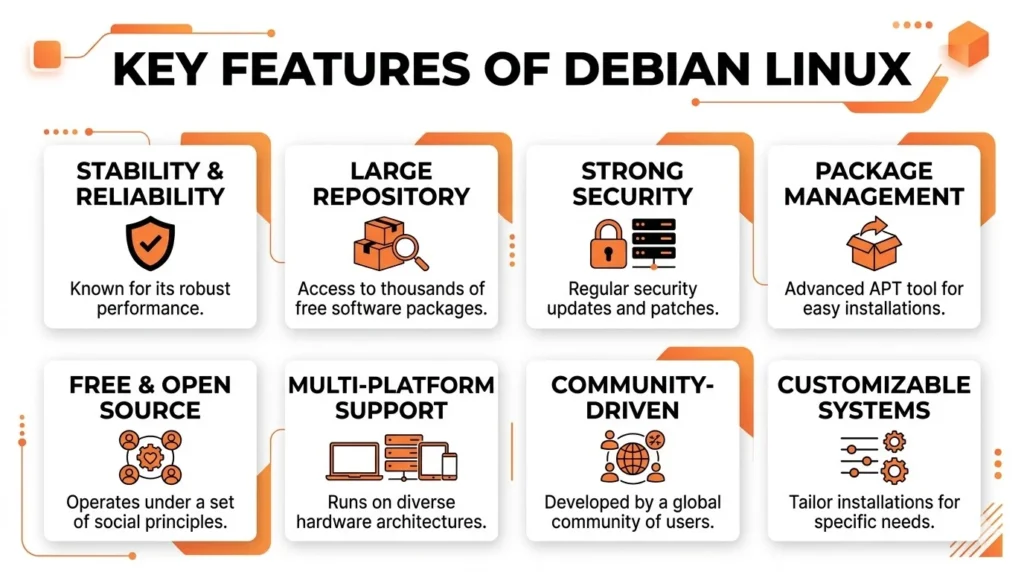
- High Stability: Debian’s stable version includes thoroughly tested software, making it ideal for servers and critical systems.
- Easy Package Management: Uses Advanced Package Tool (APT) and .deb packages for fast, secure, and easy software installation and updates.
- Large Software Collection: Offers over 50,000 packages, covering almost every use case from development to multimedia.
- Supports Multiple Devices: Runs on a wide range of hardware, from servers to devices like Raspberry Pi.
- Lightweight Performance: Consumes fewer system resources compared to many other Linux distributions.
- Open Source & Community Driven: Fully open-source with no corporate influence, ensuring transparency and flexibility.
- Strong Security System: Regular security updates and patches are provided by a trusted community team.
- Consistent Updates: Follows a conservative release approach, prioritizing stability over cutting-edge features.
If you want a better Linux experience, check out our guide on best Linux distros for gaming to choose the right setup for performance and stability.
What is Ubuntu?
Ubuntu is a Linux based operating system first released in 2004 by entrepreneur Mark Shuttleworth and his company, Canonical. Developed from the rock solid Debian distribution, Ubuntu was designed to achieve a goal: make Linux easy to use, install and fit for mass consumption. Ubuntu is named after the Southern African concept “I am because we are“, emphasising the importance of community and humanity.
Key Features of Ubantu
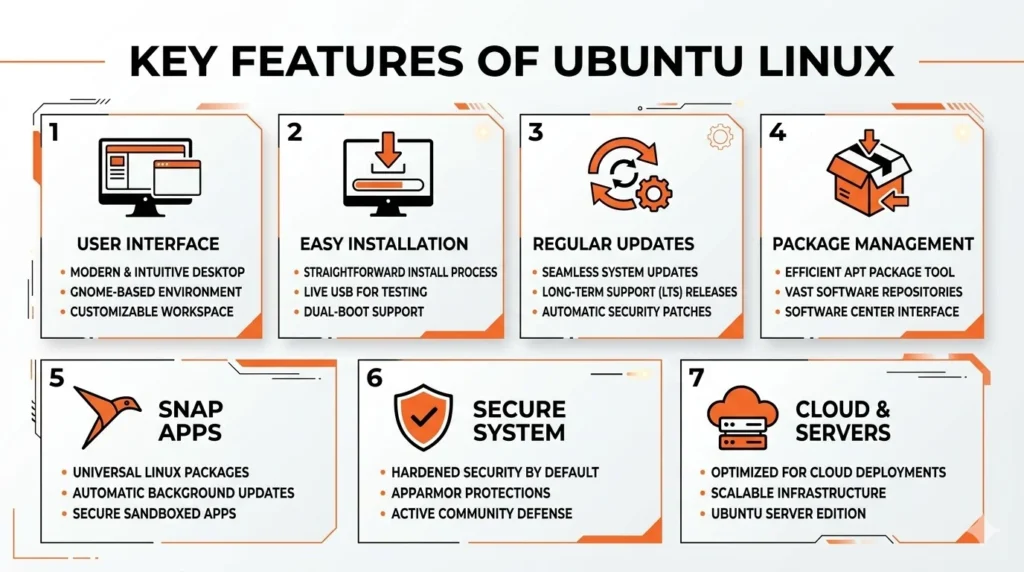
- User-Friendly Interface: Ubuntu uses the GNOME desktop environment, offering a clean, modern, and easy-to-use interface suitable for beginners and professionals.
- Easy Installation Process: It provides a simple graphical installer, allowing users to set up the system quickly without technical complexity.
- Regular Updates & LTS Support: Ubuntu releases updates every six months, along with Long Term Support (LTS) versions every two years that offer up to five years of security updates.
- APT & Package Management: Built on Debian’s package system, Ubuntu uses APT and .deb packages for smooth software installation and management.
- Snap Package Support: Ubuntu supports Snap packages, which allow applications to run independently with all required dependencies and receive automatic updates.
- Strong Security & Stability: With regular patches and updates, Ubuntu ensures a secure and stable environment for both personal and professional use.
- Cloud & Server Integration: Ubuntu is widely used on cloud platforms like AWS, Google Cloud, and Azure, making it a top choice for developers and businesses.
How did Debian & Ubuntu Start?
Debian is the elder statesman in this case. It was developed by Ian Murdock in 1993 and is among the oldest Linux programs that are being actively developed. It is completely a community, that is, it is sustained by thousands of volunteer developers around the globe and has no corporate sponsor. It has a huge strength in that it is independent, and, on the one hand, this independence is an asset to some users; on the other hand, it makes them frustrated.
Ubuntu was developed 10 years later in 2004 by a South African entrepreneur, Mark Shuttleworth, and his company Canonical. The aim was not so complicated yet not too high: introduce the rock-solid base of Debian and make it accessible to the common audience. Ubuntu is actually a layer over Debian; it is based on the package management system of Debian, and it is even more heavily reliant on its architecture, but it contains a more pleasant interface, ease of installation, and a more consistent release schedule.
Consider Debian to be the crude and simple raw material, and Ubuntu the finished course at a dinner table.
Comparison Table: Debian vs Ubuntu
| Aspect | Debian | Ubuntu |
| Hardware Requirements | Minimal and suitable for older/resource constrained systems | Higher and better suited for modern hardware |
| Sudo Access | Must be manually added to sudo group after install | Default user granted sudo automatically during setup |
| Desktop Environment | GNOME, Xfce, KDE Plasma, LXDE and more at install | GNOME with custom Canonical interface by default |
| Release Cycle | Stable, testing, unstable branches, conservative focus | LTS every 2 years (5 yr support), non-LTS every 6 months |
| Installation | Manual configuration, greater customisation options | User friendly, streamlined installer for beginners |
| Security & Stability | Exceptional stability, rigorous testing before release | Regular security updates, faster updates may introduce bugs |
| Package Repository | Large stable repository focused on reliability | Most Debian packages + additional Snap packages |
| Package Managers | APT (Advanced Package Tool) | APT + Snap for broader software availability |
| Performance | Optimised for older or resource constrained hardware | User friendly design, higher resource usage on modern systems |
Debian vs Ubuntu Installation Comparison
| Feature | Debian | Ubuntu |
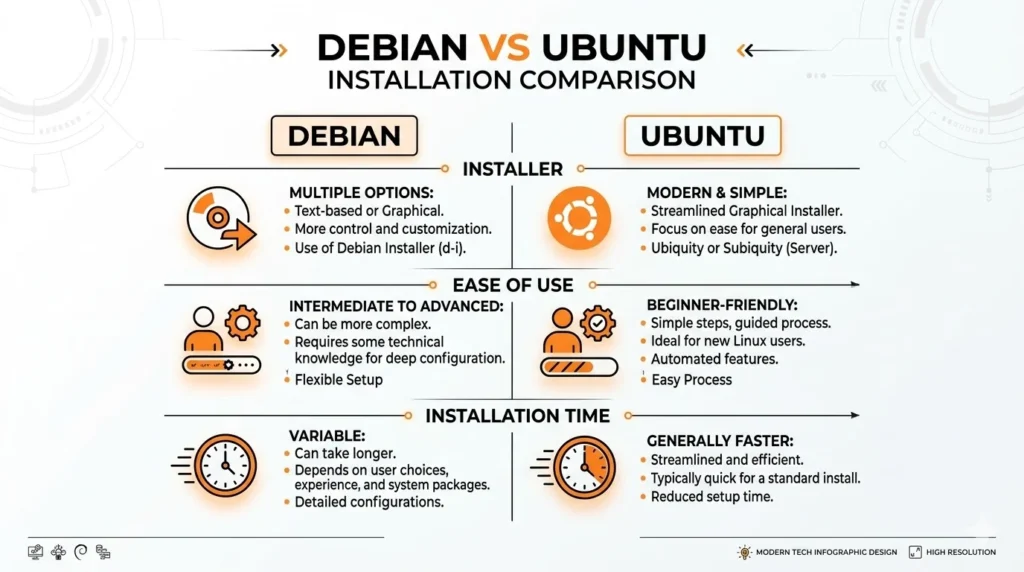
| Installer Name | Debian Installer (classic text/graphical hybrid) | Subiquity (server) / Graphical Installer (desktop) |
| Ease of Use | Technical and requires prior Linux knowledge | Beginner friendly with guided, step by step prompts |
| Installation Time | 30-60 minutes depending on customisation | 20-30 minutes for a working desktop |
In the case of a newcomer, Ubuntu scores points by a wide margin. The Ubuntu installer (now the Subiquity installer on server and graphical installer on desktop) is easy, user-friendly, and well-guided. With Ubuntu, it takes 20-30 minutes to have a working Ubuntu desktop without even opening a terminal.
Debian has an installer that is helpful and comprehensive, but presupposes a bit more knowledge of Linux concepts. It is more customizable, you can select the root of the desktop environment, partition layout, and choice of software from the bottom up; however, this flexibility is coupled with simplicity. In the case of the first-time user, the installer in Debian can be sterile and at times brutal.
Ubuntu is a more welcoming introduction to Linux than is the actual Linux. Debian will be more satisfying if you like to know every decision that is being made in the setup processes.
Debian Stable vs Ubuntu LTS: Which One Should You Choose?
The experience of the command line is familiar to the user on both distributions since the two use the APT (Advanced Package Tool) and the .deb package format. The thinking behind what software should be included and when is, however, much different.
Stability is one of the most cherished values of Debian. Its branch of Stable gets only packages that have undergone a long period of tests, in fact, years. This implies that you are operating software that is tested, safe, and sound. This is a tradeoff since you might be using versions of applications that are a year or two older than the latest version. To a server that must operate uninterrupted for years, this is a feature and not a bug. To a desktop user looking to have the newest version of Firefox or the newfangled kernel, it is smothering.
In comparison, Ubuntu also comes with more recent software, and has LTS (Long Term Support) releases after every two years, with a 5 year support period, and non-LTS releases after every 6 months, depending on the need to keep up with the latest technology. Snap packages (the containerized format of apps used at Canonical) are also built into Ubuntu and enable applications to be installed and run at their current, more updated versions, despite the underlying system being older.
Not everyone loves Snaps. They have been linked controversially through the Linux community as taking longer to be launched, taking up more disk space, and being operated by Canonical instead of the community. Debian, in its turn, does not have any of those, and it depends on the traditional APT repositories or Flatpak of sandboxed applications.
If you’re also looking for better audio setup, explore our guide on Microphones for Gaming to improve overall system experience.
Desktop Experience
Ubuntu has a default GNOME desktop, which Canonical has modified with its own settings. Canonical has customized its environment, including a left dock menu, its own look, and integration with the system settings. It has an out-of-the-box, sleek, and shiny appearance.
Debian is also configured to use GNOME on its desktop release, but provides a much cleaner version with very few customization options. What Debian lacks in character it compensates for with choice: at installation, you can choose between KDE Plasma, XFCE, LXDE, Cinnamon, and others, but all of them are fully supported. A few non-GNOME desktops are supported under official flavors (Kubuntu, Xubuntu, Lubuntu, etc.), which are, however, not always as polished as the actual Ubuntu version.
Ubuntu is better, given that the users are willing to have something that is beautiful without exerting any effort. In Debian, a more organized process of desktop environment selection is available to users who wish to make the choice when installing the system.
Performance and System Requirements
It is in this respect that Debian really loses ground. Debian is also more likely to run on equivalent hardware more quickly and consume less RAM than Ubuntu, due to the reasons, which include it ships fewer background services, less bloatware, and more lean default configuration. This particularly suits Debian well on older hardware or single-board computers such as the Raspberry Pi.
The other services found in Ubuntu, including the Snap daemon, update notifiers, telemetry tools, and Amazon integration (which have since been removed but existed at one time) impose network overhead that does not scale on a system with at least 8GB of RAM, but can be experienced on machines with 24GB.
Debian should work better in most cases than in reviving an old laptop or a lightweight server. When you are on current machines, and you consider convenience, then the amount of resources consumed by Ubuntu is hardly a concern.
Which Has Better Community Support?
Canonical’s presence in commerce is a great boost to Ubuntu. It has a support team, an official document ubuntu.com, paid enterprise support, and one of the largest and busiest community support forums on the web, Ask Ubuntu. To novices who find themselves in trouble, a solution is usually only a few searches away, and most of the answers are in easy-to-understand English.
Community with Debian is more mature, extensive, and arguably more technical. Debian Wiki and mailing lists are fantastic, but sometimes they suppose that the reader can navigate his/her way around a terminal. The bright side is that since Ubuntu is a Debian derivative, most Ubuntu-focused instructions and solutions can work on Debian with slight modifications, which means that Debian users can enjoy the benefit of an enormous stock of knowledge indirectly.
Absolute beginners will find the Ubuntu support ecosystem more friendly. To users who like to converse in techno detail, the Debian community is unparalleled.
Which Linux Distro Is More Secure?
Both distributions have serious security issues, but they do not state it in the same manner.
The conservative nature of Debian package updates has the benefit that it results in vulnerabilities being patched, though without drawing in additional changes, which is somewhat more advantageous because a security patch can inadvertently cause another system to break. The long release cycles and comprehensive testing of it are such that by the time software is made available in the Stable branch, it is greatly tried and tested.
Ubuntu enjoys a Canonical team of dedicated security experts and a quick response to CVEs (Common Vulnerabilities and Exposures). It also provides Ubuntu Pro, a subscription that will provide security patches for an even greater variety of packages over the course of up to a decade, somewhat useful to both enterprises and power users.
In the case of mission-critical servers, most sysadmins continue to put their confidence in Debian Stable over and above all others. Ubuntu provides a viable balance in terms of security and up-to-date software to desktops and developer machines.
Which Linux Distro Should You Choose?
Install Ubuntu when you are a novice with Linux, desire a smooth desktop setup with no need to configure anything, wish to have the most recent versions of programs, or are installing a development workstation with numerous community documentation and Stack Overflow reply assets accessible.
Debian is the operating system to choose when you require stability and control, are launching a long-running server, have older hardware that requires a slimmer operating system, or wish to have an operating system that does not have an interested corporate party shaping its future.
Conclusion
Debian and Ubuntu are not so much competitors as one another as they are two answers to the very same question: how can one make a powerful, open source operating system usable? Debian is an answer that is precise, stable, and pure community. Ubuntu responds with user friendliness, polish, and a commercially supported system.
Ubuntu is the right kick starter to Linux to most individuals embarking on Linux on the first step. It is very easy to install, has a plethora of documentation, and has a contemporary desktop which makes it truly competitive to Windows and macOS when considered in daily use. To those who have spent time with Linux and desire something trimmer, more open to control, and not so corporate, Debian is an honorable and highly satisfying OS.
The best part? It does not require faith to transition between the two worlds. Ubuntu Debian will then be comfortable once in Ubuntu. And when you have gotten familiarized with Debian, you will know Linux at the level so that every other distribution makes sense.
Frequently Asked Questions (FAQs)
1. Is Ubuntu a Debian version?
No, and, in fact, Ubuntu is a fork of Debian, i.e., it shares the same package format (.deb) and package manager (APT), and its repositories are seeded with those of Debian. Nevertheless, Ubuntu has a different release schedule, different additions to its software (such as Snap), and its own customizations to the desktop. It is a unique distribution that coincidentally appears to be the Debian upstream ancestor.
2. Is Debian easier to use than Ubuntu?
Yes, to the inexperienced, Debian is more comfortable to use, especially when it comes to installing and configuring the system. Nonetheless, when configured, a Debian desktop, either with GNOME or KDE, is not much more difficult to use on a daily basis compared to Ubuntu. The initial slope of the learning curve is steeper, and the experience is similar, and an ongoing process.
3. Which between Debian and Ubuntu is more suitable as a home server?
Both are excellent choices. The classic home server of choice, due to its low footprint and superior stability, is Debian Stable. A powerful alternative is Ubuntu Server, which is commonly the default on cloud providers such as AWS and Google Cloud, and has superior out-of-the-box cloud tools. Perhaps you are installing a NAS or a box of self-hosted services, and you do not want to maintain it; it is difficult to find a more affordable service than Debian Stable.
4. Is it possible to run Ubuntu-made software on Debian?
Most of it, yes. The software of Ubuntu is compatible with most Debian software, and vice versa, due to the similarity of using the APT system and being based on .deb packages, with more dependency differences being occasional exceptions. But Ubuntu containerized apps (snap packages) are not by default supported on Debian without further configuration, and certain Ubuntu PPA (Personal Package Archives) may not have a Debian counterpart.
5. What distro is updated more often?
The new themes are released every six months, and the LTS ones are available after every two years and are supported 5 years. Debian is less predictable and has less throughput with a slower release cycle; a new Stable version is announced every two to three years, although there are security and bugfix updates to it that occur during its support lifespan. Ubuntu is the one when you would like to get access to newer software on a regular basis.