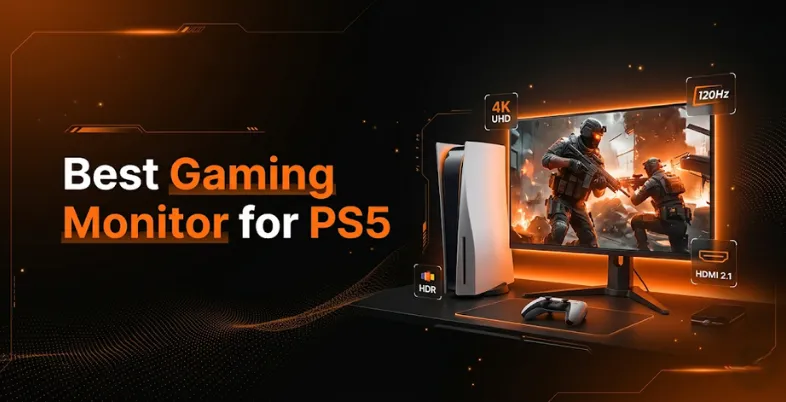
The PlayStation 5 is a home console like no other. The PS5’s blazing-fast SSD, ray tracing, and ability to play games at up to 120fps make it a console that requires a worthy gaming monitor to bring out its full potential. In many cases, performance issues are not just display-related but also due to connectivity confusion. Understanding the difference between WiFi & Internet can help optimize your overall gaming setup of this next-generation console, missing out on breathtaking visuals and buttery smooth frame rates.
When it comes to finding the best gaming monitor for PS5, it’s not simply a case of buying the largest or most expensive display. It’s about considering the technical features such as refresh rate, resolution, panel type, input lag and HDR support that impact your gaming performance. Here, we’ll explore all the factors to consider when choosing the best gaming monitor for PS5.
What To Look For In A Gaming Monitor For in a Gaming Monitor for PS5
When looking for a monitor to use with the PS5, it is recommend considering the following. The PS5 uses HDMI 2.1, and this is an important spec to watch out for, as this allows 4K at 120Hz (the fastest refresh rate PS5 can deliver) output. This will limit your display to either 4K at 60Hz or 1080p at 120Hz, neither of which is optimal for the PS5. Resolution is another major factor.
The PS5 is capable of 4K resolution (3840×2160), and while a 1080p monitor is acceptable, a 1440p or 4K monitor will show a much clearer picture. Numerous games on the PS5 are 4K-ready, so if you’re a video quality connoisseur, it’s worth investing in high resolution. But one cannot look past refresh rate and response time either, particularly for competitive games. A 120Hz refresh rate will provide smooth action and give you an advantage in competitive gaming. You can further reduce lag and improve online gameplay by using the best DNS Servers for Gaming with quicker response times.
Opt for monitors with a response time of 1ms or faster and look for a Variable Refresh Rate (VRR) display with either AMD FreeSync Premium or HDMI-VRR to prevent screen tearing – which can have a disruptive effect on fast-paced action scenes.
Panels play a crucial role in determining the output. IPS are the most accurate and have wide viewing angles, great for single player narrative focused games with good graphics. VA panels have deeper, black and more contrast, which is great for shadowy scenes. OLED panels are the most expensive but provide perfect black levels and infinite contrast and are the best type of panel for gaming in 2026 and beyond.
List of Top Gaming Monitors For PS5
1. Sony InZone M9 II
- Price: $849
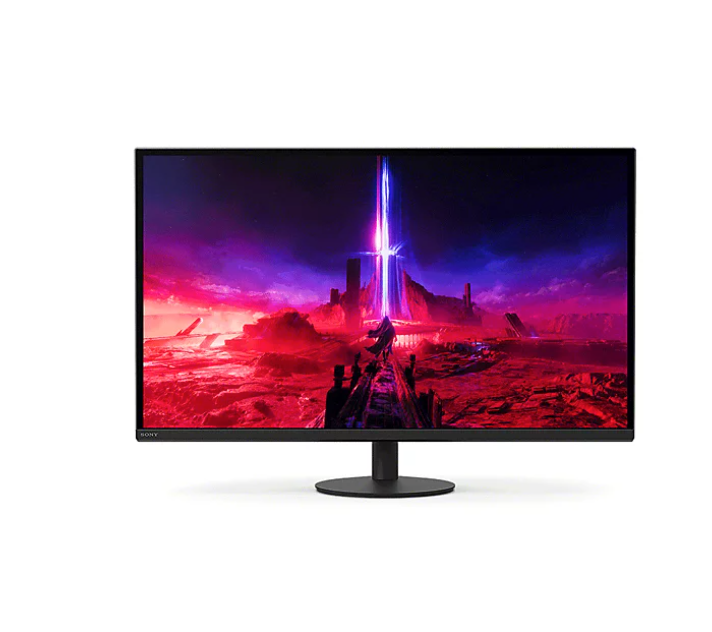
The Sony InZone M9 II is purpose-built for PlayStation 5 gamers, featuring a 27-inch 4K IPS display with 160Hz refresh rate and advanced Full Array Local Dimming technology. With 1ms GTG response time and HDMI 2.1 connectivity, it delivers smooth 4K 120Hz gaming with excellent HDR performance through DisplayHDR 600 certification.
The monitor includes exclusive PS5 integration features like Auto Genre Picture Mode and Auto HDR Tone Mapping, which automatically optimize settings for PlayStation games. Its compact stand saves desk space while offering height, tilt, and swivel adjustments. Built-in speakers provide decent audio, though professionals prefer external solutions. The 95% DCI-P3 color gamut ensures vibrant, accurate colors for both gaming and movies. This is the ideal choice for PS5-first gamers seeking seamless console integration without excessive price.
Key Features:
- 27-inch 4K (3840 x 2160) IPS Panel
- 160Hz Refresh Rate
- 1ms GTG Response Time
- HDMI 2.1 & DisplayPort 2.1
- Full Array Local Dimming
- DisplayHDR 600 Certification
- Auto HDR Tone Mapping (PS5 Optimized)
- 95% DCI-P3 Color Gamut
- G-SYNC Compatible & FreeSync Premium
- 3-Year Limited Warranty
2. Alienware AW3225QF

- Price: $899
The Alienware AW3225QF is the world’s first 32-inch 4K QD-OLED gaming monitor, delivering uncompromising visual excellence for PS5 Pro and standard PS5 owners. Its Quantum Dot OLED panel produces perfect blacks with infinite contrast, exceptional color volume, and a blazing-fast 0.03ms response time that virtually eliminates motion blur.
The 240Hz refresh rate provides headroom beyond PS5’s 120Hz maximum, ensuring future-proof performance. With curved 1700R design and DisplayPort 1.4 alongside HDMI 2.1, it suits both PC and console gaming seamlessly. The monitor supports HDR10 and Dolby Vision for cinematic gaming experiences. Premium build quality, AlienFX RGB lighting, and extensive connectivity options justify the premium price. This is the ultimate display for those willing to invest in visual perfection and willing to use PS5 as their primary gaming device.
Key Features:
- 32-inch 4K (3840 x 2160) QD-OLED Panel
- 240Hz Refresh Rate
- 0.03ms GTG Response Time
- 1700R Curved Display
- DisplayPort 1.4 & HDMI 2.1 (x2)
- Dolby Vision & HDR10 Support
- 1,000 nits Peak HDR Brightness
- Infinite Contrast Ratio (OLED)
- G-SYNC Compatible & VESA AdaptiveSync
- Premium Build Quality with AlienFX Lighting
3. ASUS ROG Swift OLED PG27UCDM

- Price: $1,099
The ASUS ROG Swift OLED PG27UCDM represents the world’s first 27-inch 4K 240Hz OLED gaming monitor, combining exceptional pixel density with blazing performance. Its fourth-generation QD-OLED technology delivers stunning color accuracy, achieving 166 pixels per inch for incredibly sharp text and images in 4K resolution. The 0.03ms response time ensures virtually instantaneous pixel transitions, eliminating ghosting even during fast-paced action.
With DisplayPort 2.1a UHBR20 providing 80Gbps bandwidth and HDMI 2.1 support, it handles PS5’s 4K 120Hz output perfectly. Advanced OLED Care Pro suite with Neo Proximity Sensor automatically detects when you’re away and darkens the screen to prevent burn-in. Dolby Vision support and DisplayHDR 400 True Black certification ensure exceptional HDR performance. USB-C with 90W Power Delivery adds productivity value for dual-purpose gamers.
Key Features:
- 27-inch 4K (3840 x 2160) QD-OLED Panel
- 240Hz Refresh Rate
- 0.03ms GTG Response Time
- 4th Gen QD-OLED Technology (166 PPI)
- DisplayPort 2.1a UHBR20 & HDMI 2.1
- Dolby Vision & HDR Support
- OLED Care Pro with Neo Proximity Sensor
- USB-C 90W Power Delivery
- 99% DCI-P3 Color Gamut
- G-SYNC Compatible & FreeSync Premium Pro
4. LG 32GS95UE UltraGear

- Price: $1,399
The LG 32GS95UE is the best 4K gaming monitor overall, featuring a groundbreaking 32-inch WOLED Dual Mode display that switches between 4K 240Hz and Full HD 480Hz with a hotkey press. This revolutionary flexibility allows gamers to prioritize visual fidelity for cinematic titles or maximum refresh rates for competitive gameplay. The OLED panel delivers perfect blacks, exceptional contrast, and near-instantaneous 0.03ms response times.
VESA DisplayHDR True Black 400 certification ensures exceptional HDR performance with pixel-level dimming. At 240Hz 4K, it matches PS5 Pro’s potential perfectly, while the dual-mode option provides unmatched versatility. Built-in Pixel Sound technology includes woofers and spatial audio processing. The 98.5% DCI-P3 color gamut and 1.3 million-to-one contrast ratio produce breathtaking visuals. While pricey and requiring ample desk space (32 inches), this is the monitor for PS5 gamers wanting absolute performance flexibility and visual perfection.
Key Features:
- 32-inch WOLED Dual Mode Panel
- 4K 240Hz / FHD 480Hz Switchable
- 0.03ms GTG Response Time
- HDMI 2.1 (x2) & DisplayPort
- USB-C with Power Delivery
- Pixel Sound with Woofer
- DisplayHDR True Black 400
- 98.5% DCI-P3 Gamut
- G-SYNC Compatible & FreeSync Premium Pro
- VESA Certified Adaptive Sync
5. Gigabyte M32UC
- Price: $1,399
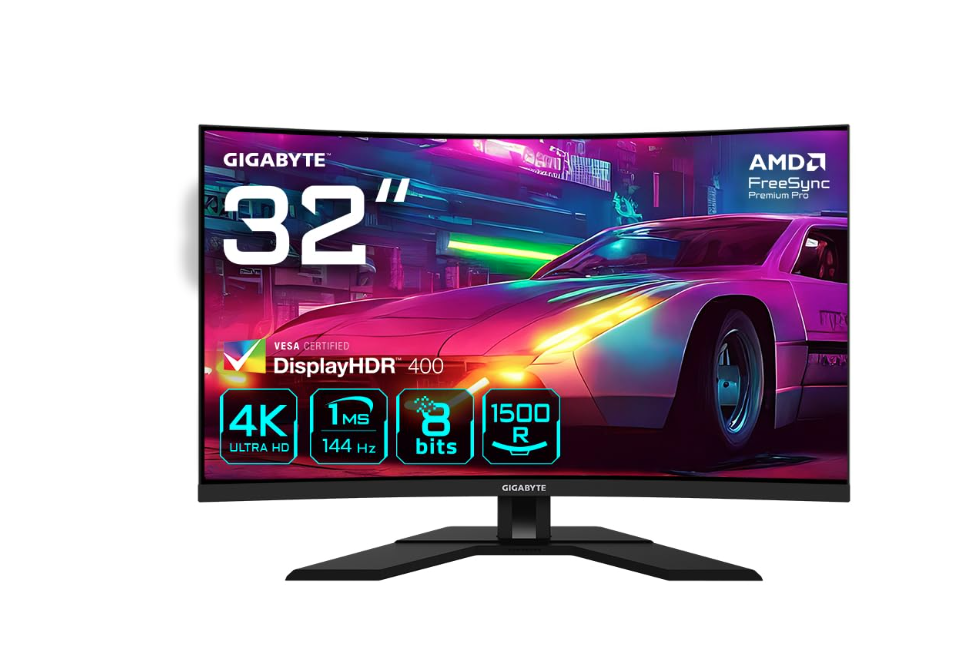
The Gigabyte M32UC delivers exceptional value for PS5 gamers, combining a massive 32-inch curved VA panel with 4K resolution, 144Hz refresh rate, and comprehensive gaming features at an unbeatable price point. The 1500R curve creates an immersive gaming environment perfect for cinematic PS5 exclusives and open-world exploration. With 1ms MPRT response time and VESA DisplayHDR 400 certification featuring 336-zone Full Array Local Dimming, HDR visuals pop with impressive brightness and contrast.
The dual HDMI 2.1 ports support 4K 120Hz gaming, while DisplayPort 1.4 provides additional PC connectivity. Gigabyte’s KVM switch enables control of multiple devices with one keyboard and mouse setup. Built-in speakers and comprehensive gaming assist features, including crosshair overlay and on-screen timer enhance gameplay. The curved screen and excellent color calibration make it equally suitable for content creation. This is the best value curved gaming monitor for PS5 owners who want big-screen immersion without premium pricing.
Key Features:
- 32-inch Curved (1500R) VA Panel
- 4K (3840 x 2160) Resolution
- 144Hz / OC 160Hz Refresh Rate
- 1ms MPRT Response Time
- HDMI 2.1 (x2) & DisplayPort 1.4
- VESA DisplayHDR 400
- 336-Zone Full Array Local Dimming
- KVM Switch Technology
- USB-C Hub with USB 3.2 Ports
- AMD FreeSync Premium Pro Support
6. Samsung Odyssey OLED G9

- Price: $1,299
The Samsung Odyssey OLED G9 is a massive 49-inch ultrawide with Dual QHD resolution (5120 x 1440), delivering an incredibly immersive gaming experience that wraps your peripheral vision. The QD-OLED panel achieves perfect blacks, near-instantaneous 0.03ms response times, and exceptional color reproduction with 98.5% DCI-P3 coverage. While PS5 outputs at supported resolutions via HDMI 2.1, not all games fill the ultrawide format—racing, flight simulators, and first-party Sony titles display beautifully, while multiplayer titles may show black bars.
The 240Hz refresh rate, though beyond PS5’s 120Hz maximum, provides compatibility with future gaming devices. CoreSync technology synchronizes on-screen colors with ambient lighting for enhanced immersion. Built-in gaming features and smart TV integration add entertainment value. The ultrawide format demands significant desk space and isn’t ideal for competitive shooters, but delivers cinematic gaming for appropriate titles. This is the ultimate immersive PS5 display for those with room and budget.
Key Features:
- 49-inch Ultrawide (32:9) QD-OLED Panel
- Dual QHD (5120 x 1440) Resolution
- 240Hz Refresh Rate
- 0.03ms GTG Response Time
- HDMI 2.1 (x2) & DisplayPort
- DisplayHDR True Black 400
- CoreSync Ambient Lighting
- Gaming Hub & Smart Features
- 98.5% DCI-P3 Color Gamut
- G-SYNC Compatible & FreeSync Premium Pro
7. ASUS TUF Gaming VG27UQ1A

- Price: $379
The ASUS TUF Gaming VG27UQ1A is the best 4K budget gaming monitor for PS5, offering professional-grade specifications at an affordable price point. This 27-inch Fast IPS panel delivers 3840 x 2160 resolution with exceptional color accuracy (95% DCI-P3), 160Hz refresh rate via DisplayPort, and 1ms GTG response time. HDMI 2.1 connectivity enables perfect PS5 support with 4K 120Hz gaming without chroma subsampling. ELMB Sync technology simultaneously enables motion blur reduction and variable refresh rate support, eliminating ghosting and tearing for sharp, responsive gameplay.
Display Stream Compression (DSC) optimizes bandwidth without quality loss. Shadow Boost technology brightens dark scenes for better enemy visibility. The IPS panel provides excellent viewing angles and color consistency. While it lacks OLED’s superior contrast or curved immersion, it delivers outstanding value for budget-conscious PS5 gamers. Its compact footprint and adjustable stand enhance ergonomics for extended gaming sessions without premium pricing.
Key Features:
- 27-inch 4K (3840 x 2160) Fast IPS Panel
- 160Hz Refresh Rate (DP) / 120Hz (HDMI)
- 1ms GTG Response Time
- HDMI 2.1 (x2) & DisplayPort 1.4
- ELMB Sync Technology
- Display Stream Compression (DSC)
- Shadow Boost Dark Enhancement
- 95% DCI-P3 Color Gamut
- G-SYNC Compatible & FreeSync Premium
- HDR10 Support with GamePlus Features
Comparing Top Gaming Monitors for PS5
| Monitor | Panel Type | Resolution | Refresh Rate | Price | Best For |
| Sony InZone M9 II | IPS | 4K | 160Hz | $849 | PS5 Integration |
| Alienware AW3225QF | QD-OLED | 4K | 240Hz | $899 | Ultimate Visuals |
| ASUS ROG Swift PG27UCDM | QD-OLED | 4K | 240Hz | $1,099 | Pixel Density |
| LG 32GS95UE | WOLED | 4K/FHD | 240Hz/480Hz | $1,399 | Flexibility |
| Gigabyte M32UC | VA Curved | 4K | 144Hz | $1,399 | Best Value |
| Samsung Odyssey G9 | QD-OLED | Dual QHD | 240Hz | $1,299 | Immersion |
| ASUS TUF VG27UQ1A | Fast IPS | 4K | 160Hz | $379 | Budget Option |
Screen Size And Viewing Distance:
When buying a computer monitor, screen size can take the value over resolution and refresh rate. If you have a desktop gaming PC and the monitor is 50 to 80 centimeters away from your eyes, you will likely be comfortable with a screen size in the range of 24-27 inches.
At these distances, 1440p or 4K resolutions will be razor sharp and you won’t have to move your head much to see the entire screen. If you have a more living room style setup rather than a home office and will sit further away from the screen (1-2 meters), then you may wish to opt for a larger monitor screen (32-inch) or even a large television.
Here, a 4K resolution is particularly necessary to avoid looking at a blurry picture if a lower-resolution panel is looked up close. Ultrawide (21:9 aspect ratio) monitors are often used in PC gaming, but they are not natively supported on the PS5 (which outputs a 16:9 aspect ratio).
You can use an ultrawide monitor with the PS5 but the picture will be letterboxed (with black bars added to the top and bottom) unless the game supports an ultrawide aspect ratio. If you buy a monitor for the PS5, my advice is to stick with a more affordable 16:9 monitor between 24 and 32 inches.
HDR, Color Accuracy, and Immersive Visual Performance
High Dynamic Range (HDR) is one of the most impressive visual features of the PS5, but to get the most from a game you need to choose a monitor that can display HDR content. The PS5 is capable of HDR10 and HDMI HDR, which enable games to show a broader range of brightness and colour. But not all HDR monitors are capable of delivering superior HDR performance. For true HDR support, opt for monitors with VESA DisplayHDR 600 support or better. Monitors with this certification have a peak brightness of at least 600 nits, allowing the display of HDR content in a visually compelling way.
The best gaming monitors for PS5 HDR have local dimming zones, which means the screen can selectively dim or brighten different parts of the image. A correct reproduction of a game’s color gamut is also critical for games with vibrant settings. In particular, monitors that can reproduce at least 95% of the DCI-P3 color gamut are ideal for PS5, as many games use this color standard.
Monitors with a wide color gamut will display richer and more accurate colors, making the game world and its characters even more vibrant and realistic. Monitors with factory calibration are the plug-n-play champions as they come pre-calibrated, ensuring accurate and consistent color representation. Finally, the peak brightness, low black levels and wide gamut color reproduction deliver the best HDR experience on the PS5. To get the best PS5 experience, combine the right monitor with optimized settings, stable internet, and reliable Endpoint Protection Software for secure and smooth gameplay
Conclusion
The PlayStation 5 is a next-gen gaming console, and to get the most out of it, you need the right monitor. The best gaming monitor for PS5 gaming should have a range of features, including HDMI 2.1 support, 4K resolution, HDR compatibility and low input lag to make the most of the system. Whether you want a gaming monitor for PS5 on a budget or plan on spending for a high end OLED monitor, there is a monitor that can help you get the most from your PS5.
Look for a monitor with HDMI 2.1 to stay ahead of the curve, at least 1440p resolution (2560 x 1440 pixels) for the best images, and make sure the monitor has solid HDR capabilities. Once paired up, games will be more immersive, more interactive and downright prettier. Your PS5 will thank you for the right monitor.
FAQs
1. What Refresh Rate Should I Look For In A PS5 Monitor?
A: You can play the PS5 on a 60Hz monitor, but it is recommended that you invest in a 120Hz monitor for optimal performance. This will enable games supported by the PS5 to be played at up to 120fps, providing a smoother and more responsive gaming experience, especially with action or shooting games.
2. What Is Better For Gaming: A Monitor Or TV?
A: Monitors tend to have less input lag and lower response times compared to TVs, and are thus preferred when playing fast action games or competitive games. TVs provide better big screen viewing and are more suitable for media consumption. If you’re a solo gamer and want the best performance, use a gaming monitor. If you prefer to game on the couch with family or friends, a bigger OLED TV might be the way to go.
3. What’s VRR And Why Is It Important For Gaming On The PS5?
A: Variable Refresh Rate (VRR) adjusts the refresh rate of the monitor to match the frame rate of the PS5 output to prevent screen tearing and stuttering. The PS5 is HDMI-VRR compatible, and having a VRR-compatible monitor will improve the game’s visual output, particularly in scenes that have variable frame rates.
4. Should I Get A Curved Monitor For My PS5?
A: Curved monitors are intended to provide greater immersion for single-player games, as the display slightly wraps around your eyes. But this is subjective. Flat screens are generally recommended for competitive gaming as they offer a more uniform geometry and less distortion in the sides of the screen.
5. Should I Buy An HDR Monitor For PS5?
A: They’re not required, but HDR monitors greatly improve the visuals on PS. The console’s games are often enhanced to support HDR and display more vivid colors, intense highlights and richer shadows on an HDR monitor. Ideally, search for monitors that are DisplayHDR 600 compliant or have OLED screens, providing full HDR.