In today’s fast-paced world, it is more critical now than ever before to make your home safe. Modern home security camera systems offer advanced solutions far beyond what was available with yesterday’s CCTV installations, including high-definition video, smart AI detection, two-way audio, and flexible storage capabilities to provide extensive coverage.
These wireless, smart cameras allow homeowners to monitor their home in real-time, receive immediate notifications, and even talk to guests or deter burglars remotely. With wireless, DIY-friendly hardware and the ability to integrate smoothly with top smart home systems like Alexa, Google Home, and Nest, setting up a DIY home security system is now easier, more affordable, and user-friendly. Whether you want to protect your family, pets, or valuable possessions, buying a quality system is a smart and proactive way to prevent theft and vandalism.
In this blog, we have highlighted the 10 best Home Security Cameras to keep your property safe around.
What Is A Home Security Camera System?
A home security camera system refers to a collection of cameras, sensors, and applications that allow you to monitor your home real-time from any location. The difference between the old school CCTV and the modern smart camera is that they are connected to the internet and powered by AI to identify threats, alert and store footage. You can check in via phone, communicate with someone at your door or set up an alarm, without even being home.
Types of Home Security Cameras (2026 Guide)
1. Indoor Security Cameras
Indoor security cameras are designed for use inside homes rather than outdoors. They are commonly used to monitor living rooms, hallways, nurseries, or other indoor areas. These cameras are usually small, easy to install, and ideal for keeping an eye on children, pets, or valuable items. Most indoor cameras require plug-in power and a wireless Internet connection to operate properly.
2. Outdoor Security Cameras
Outdoor cameras protect your driveway, backyard and entryways, and are designed to withstand rain, heat and cold. Always check the weather ratings and buy IP65 or higher. Many also have spotlights or sirens to deter intruders.
3. Wired vs. Wireless Security Cameras
Wired cameras are always powered, never need battery changes, and provide stable performance for 24/7 monitoring—similar to many traditional CCTV camera brands used in home security setups. Wireless (battery powered) cameras can be placed anywhere without needing an electrician, making them more flexible. However, wired cameras are generally more reliable. Select the camera according to the installation location.
4. Doorbell Cameras
They’re an alternative to a conventional door chime and allow you to view, hear and speak to anyone at your front door even when you are away. Package theft and porch piracy have made these a must have for most home owners.
5. Floodlight Cameras
A camera plus powerful floodlights in one unit. When motion is detected, the lights blast on and the camera records. It’s one of the best deterrents to place outside your home.
Key Features To Look For In a Home Security Camera (2026)
Video Resolution: Does It Really Matter?
Yes. Nowadays the minimum is 2K (1440p). It allows for good visibility of faces and license plates. If you’re going to cover a large area, 4K is even better. Anything lower than 1080p will mean that you will be squinting at blurry footage at the wrong moments.
AI Powered Motion Detection
Basic motion detection, which activates with anything, such as a passing car or a tree branch moving. Detection based on AI is more intelligent. It lets you know who or what caused the alert – a person, a vehicle, an animal or a package resulting in fewer false alarms and more useful notifications.
Night Vision: Color vs. Infrared
Infrared (IR) night vision produces black and white images with grain. Color night vision is a type of night vision that allows for full color video thanks to an inbuilt spotlight, which is why many homeowners prefer night vision security cameras for better visibility at night. Colour is much more useful as a means of identification of people and details. One should search for camera that have color night vision.
Cloud, Local or Both Storage Options?
Cloud storage allows footage to be stored off site and available anywhere, typically requiring monthly charges. Local storage (microSD card or home hub) is free after the hardware cost and remains private. The best cameras have both options.
Two Way Audio & Active Deterrence
Two way audio allows the user to communicate with people who are in front of the camera or to warn intruders. Active deterrence takes it one step further, by activating an alarm (siren or light) when an intruder is detected.
Smart Home Compatible (Alexa, Google, HomeKit)
Ensure that the camera is compatible with the existing smart home system if you own one or plan to buy one. If you use Alexa, you should buy Ring or Wyze. Nest is a good choice for Google Home users. And for Apple users, they should look for HomeKit compatible products such as Arlo and Eufy.
Battery Life & Power Source
The typical life of a battery camera is 1-6 months, depending on how active they are. The solar powered cameras continuously charge themselves and they work well in the sun outside. However, Wired cameras eliminate the worries of running out of power as they are always connected to the power.
Why Do You Need Home Security Cameras?
- Rising Smart Home Security Adoption: The worldwide security camera market is expanding by almost 19% annually. A growing number of home and renters are opting for the DIY wireless option with no installer and no contract. The prices have been dropping and the features have increased. There’s never been a better time to invest in securing your home.
- Active Crime Deterrence – Not Just Recording: Burglars are 300% more likely to target homes that don’t have visible security systems. Today’s cameras are not only capturing crime once it has occurred, they are preventing it from occurring. Houses with obvious from the bright spotlights, the loud sirens and the visible camera are more protected just by the thought of being caught.
- Remote Monitoring & Peace of Mind: You can view your home in seconds whether at work, on vacation or out running errands. Have real time notifications, view live feed, and be notified immediately if something requires your attention immediately.
- Insurance Benefits: Many home insurance companies will give discounts that range from 5% to 20% of your home insurance for having a verified security camera system. Those savings can add up to the cost of the cameras over time. Check with your insurance company for any ongoing or upcoming discounting policies.
List Of Best Home Security Cameras of 2026 – Expert Reviewed
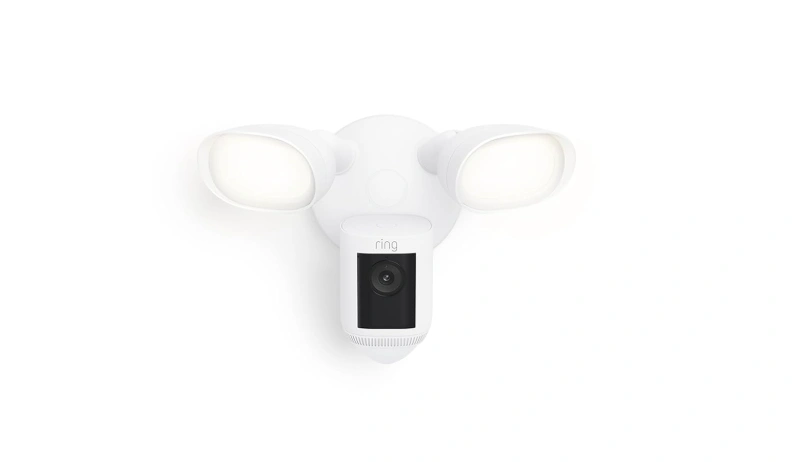
1. Ring Floodlight Cam Wired Pro
Website: ring.com
The Ring Floodlight Cam Wired Pro is a combination of a 2,000-lumen floodlight and a camera with 3D motion detection via video and radar. Optimized for high continuous power, it provides one of the most aggressive deterrence systems for home outdoor security systems.
Best For: Amazon Alexa owners seeking outdoor security that you can keep running around the clock, all year long.
Key Features:
- 3D radar motion detection and 2K HD video
- 2,000-lumen integrated floodlights
- Siren and complete Alexa integration built-in.
Pros:
- Best-in-class active deterrence
- Very reliable – NO battery change
- A great performing accurate radar.
Cons
- Needs professional installation because of hardwiring.
- Most important features are only available with subscription.
- Works best with only Amazon Alexa or Ring security system
Price Range:
- $250 – $280
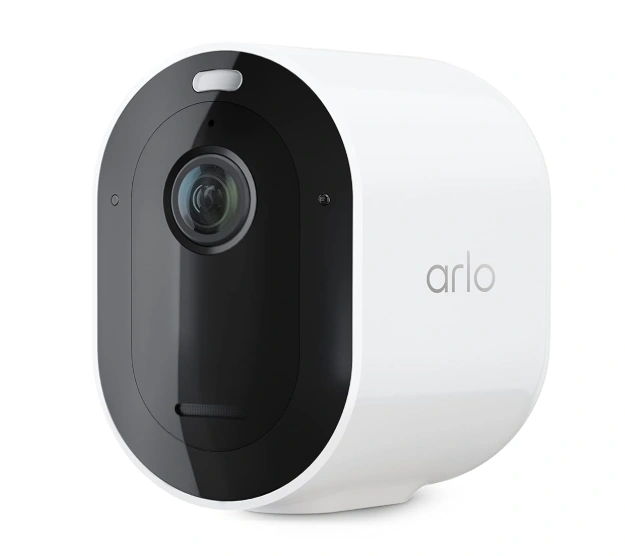
2. Arlo Pro 5S 2K
Website: arlo.com
The Arlo Pro 5S is a wireless camera that is designed to offer 2K HDR video, colour night vision and smart AI detection of human, vehicles, animals and packages. It employs dual band Wi-Fi, which provides powerful connectivity and flexible placement both outdoors and in and inside buildings.
Best For: Homeowners looking to premium functionality with no cabling, on any smart home platform.
Key Features:
- 2K HDR video + colour night vision.
- Smart object detection (person/vehicle/animal/package)
- Works with Alexa, Google Home and Apple HomeKit
Pros:
- It’s 100% wireless so put it anywhere.
- Supports all major smart home systems
- Good detection rate with low false alarm rate
Cons:
- A majority of the intelligent functions depend on a subscription with Arlo Secure.
- Higher upfront cost
- Limited free cloud storage post trial
Price Range:
- $199 – $249
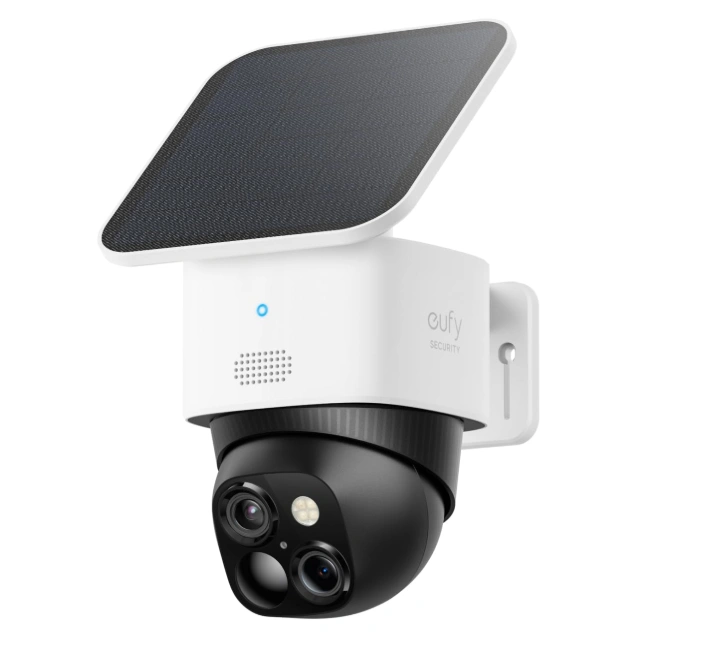
3. Eufy SoloCam S340
Website: eufylife.com
The Eufy SoloCam S340 is an outdoor camera that utilizes two lenses, includes built-in AI and runs on solar power and is capable of capturing 3K videos. It helps you escape subscription costs. The Battery remains charged via the solar panel and local microSD storage preserves your footage.
Best For: Homeowners who are looking for an outdoor option and have a low budget who do not want monthly fees.
Key Features:
- Dual lens system (2x optical zoom)
- Inbuilt solar panel to recharge constantly
- On-device AI in conjunction with local microSD storage.
Pros:
- No storage and smart alert system!
- Solar power means virtually zero maintenance
- Dual-lens provides greater zoom clarity than cameras with a single lens.
Cons:
- More expensive than basic cameras up front
- Requires positioning according to sunlight to stay charged
- When using local-only storage, no backup is done to off-site locations by default
Price Range:
- $159 – $180
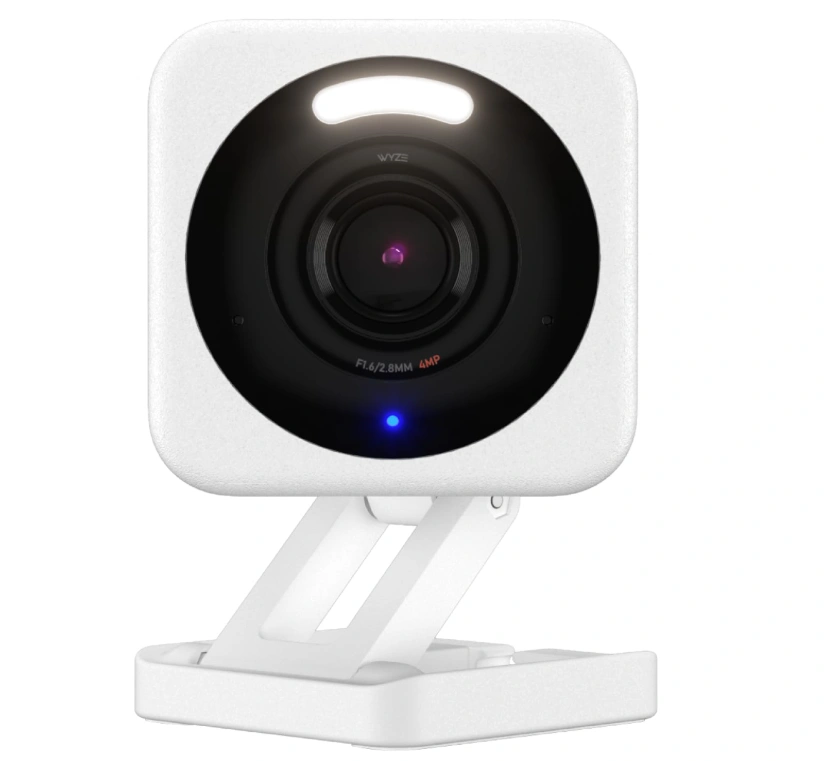
4. Wyze Cam v4
Website: wyze.com
The Wyze Cam v4 demonstrates that you don’t have to spend a big chunk of money for quality security. At the convenience of your budget, you can get 2K video, color night vision, two-way audio, and 24/7 local recording with microSD. It’s the best entry level camera available.
Best For: Tenants, first-time home buyers or anyone looking for an affordable solution that provides indoor security.
Key Features:
- 2K HD video and colour night vision
- 24/7 continuous recording to microSD (local, free of charge)
- Works with Alexa and Google Home.
Pros:
- The best value for money!
- Monthly subscription free local recording
- Excellent firmwares and active user base
Cons:
- Both AI detection and cloud history requires a paid plan.
- Has to be plugged in so must be close to a power outlet
- The quality of the construction weak opposed to competitors.
Price Range:
- $35 – $40
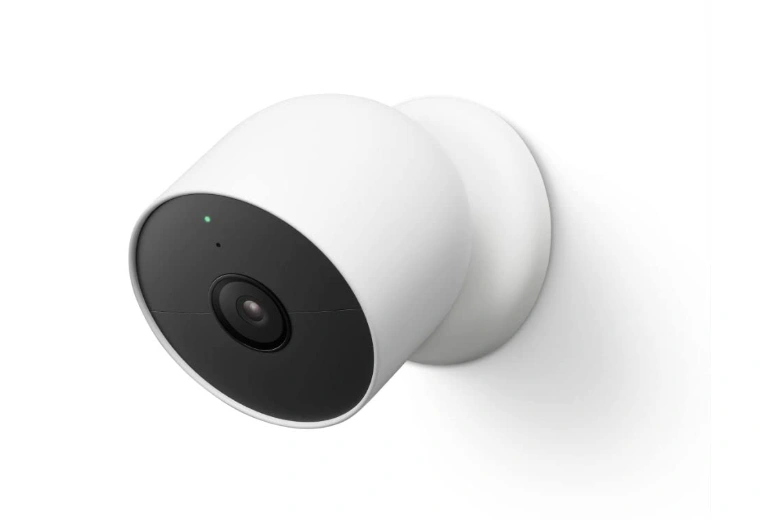
5. Google Nest Cam (Battery)
Website: store.google.com
Google Nest Cam (Battery) is a smart, sleek and well connected security device. Uses on-device AI to identify people, vehicles and animals even without subscription. Flexible indoor and outdoor installation for batteries powered operation making it great all types of uses.
Best For: Google Home & Nest Hub Owners Seeking a Smart and Subscription Free Camera Alternative.
Key Features:
- AI for person/vehicle/animal detection on the device
- 1080p HDR video, wire-less battery design.
- 3 hours of free rolling cloud event history
Pros:
- Smart alerts will run even if you don’t have a paid account.
- Clean design to fit any room, outdoor space.
- Smooth integration of Google Home and Assistant.
Cons:
- 24/7 recording is only possible with a Nest Aware subscription.
- High price for a 1080p camera (competing 2K are lower on price)
- Ecosystem is primarily Google focused.
Price Range:
- $179 – $199
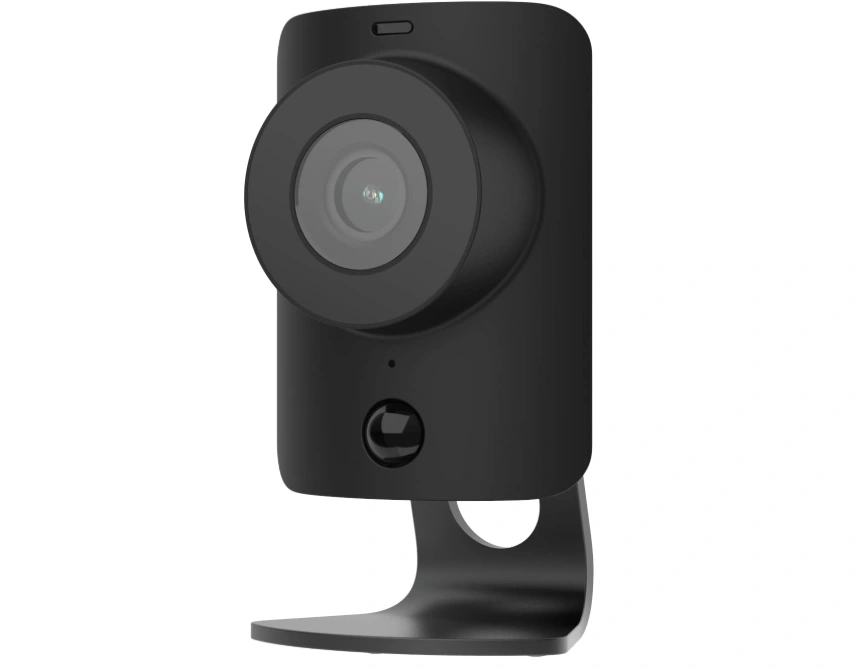
6. SimpliSafe Indoor Camera
Website: simplisafe.com
SimpliSafe Indoor Camera is designed to be used in conjunction with a SimpliSafe alarm system. The physical privacy shutter fully covers the lens making it optimal for homes. If an alarm is triggered, the camera sends a live feed straight to the professionals monitoring the alarm.
Best For: SimpliSafe users looking for professional monitoring with a true visual response.
Key Features:
- Physical privacy shutter (lens closed when at home)
- 1080p HD video and two way audio.
- Live feed provided to SimpliSafe agents during live alarms.
Pros:
- When it comes to indoor privacy, nothing beats physical shutter.
- Integrates well with SimpliSafe alarm system without any issues
- Simple to set up with no technical skills required
Cons:
- Planned for SimpliSafe users and limited standalone use
- Requires a paid SimpliSafe monitoring plan to use video monitoring.
- Lacks in some smart AI features as standalone competitors
Price Range:
- $99 – $149
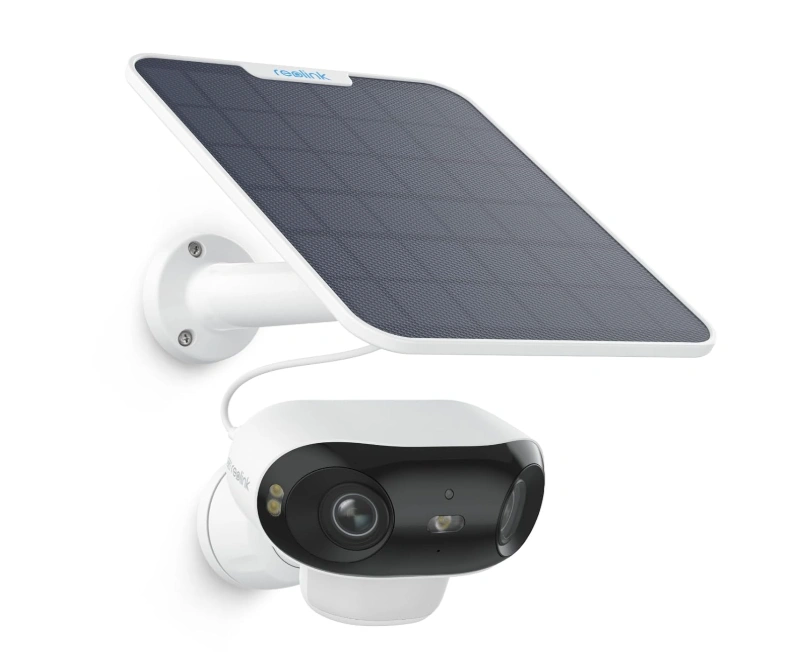
7. Reolink Argus 4 Pro
Website: reolink.com
The Reolink Argus 4 Pro is a 4K wireless outdoor camera that comes with 180-degree ultra-wide field of view and full-color night vision, while still being subscription-free. Your data is stored locally on microSD or NVR, allowing you to keep control of your data offering as much flexibility as there can be and full of features.
Best For: Users who prioritize privacy and are looking for high-resolution footage that is all stored at home.
Key Features:
- 180° wide angle view at 4K ultra HD video
- Built in spotlight, full colour night vision
- No cloud sign up required, local microSD storage.
Pros:
- A 4K resolution that is not only outstanding but also affordable.
- No monthly charges & no subscription is ever asked for.
- Complete local data management, ideal for privacy-conscious users
Cons:
- The battery life will depend on how often you record.
- App is not as refined as Arlo or Nest
- Local storage only and no remote backup.
Price Range:
- $120 – $150
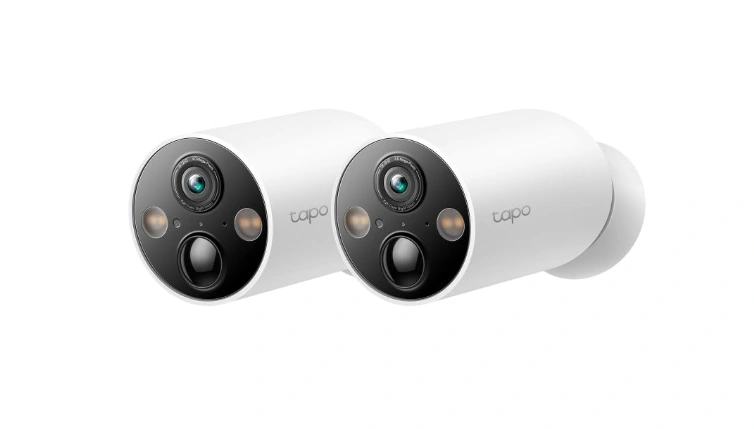
8. TP-Link Tapo C425
Website: tp-link.com
The TP-Link Tapo C425 is a budget-friendly wireless system that has 2K resolution, color night vision and AI detection. Local microSD storage is complimentary, and the Tapo app is neat and intuitive, perfect for first-timers who won’t have to deal with the hassle of learning a whole new system to operate their camera.
Best For: Budget-conscious users looking for wireless capabilities and robust AI detection without a subscription.
Key Features:
- 2K QHD video and colour night vision
- AI for Person & Vehicle Detection
- Local microSD storage that can be optionally backed up to the cloud.
Pros:
- Very low cost and doesn’t require a subscription
- Easy-to-navigate Tapo app that is easy to use and clean.
- Easily reposition with flexible magnetic mount
Cons:
- Quality is not up to the premium competitors
- Partial smart home support
- Cloud storage is offered on a subscription basis.
Price Range:
- $40 – $70
9. Blink Outdoor 4
Website: blinkforhome.com
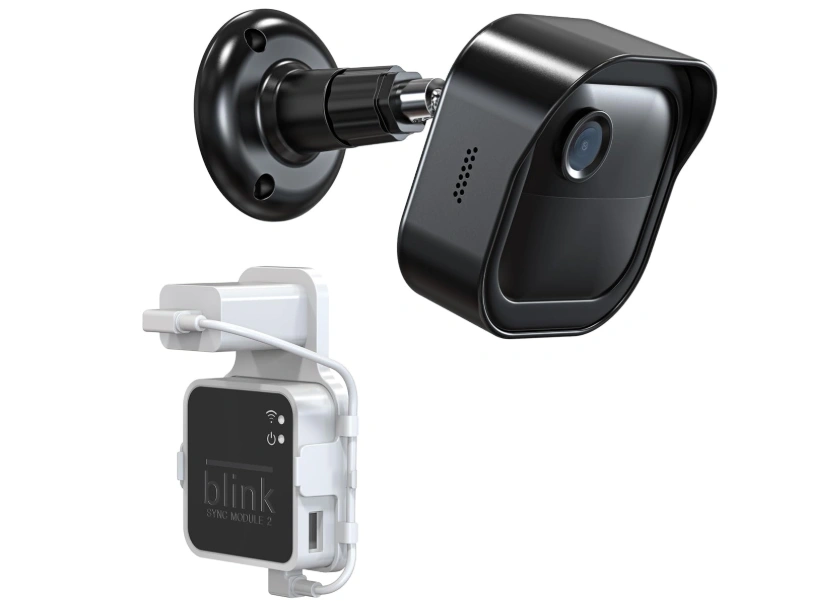
The Blink Outdoor 4 has two AA batteries, which last up to two years – the longest lifespan of any battery camera on this list. It supports 1080p resolution video, motion detection, and can be seamlessly incorporated into the Amazon Alexa at an affordable price.
Best For: Homeowners who are looking for a “set and forget” outdoor camera that doesn’t require much maintenance.
Key Features:
- Up to 2-year battery life (2 AA batteries included)
- HD video (1080p) and infrared night vision
- Local storage and Alexa integration
Pros:
- Best battery life in its class
- Local Storage (Sync Module) requires no subscription.
- Easy and low cost installation.
Cons:
- 1080p resolution is not as high as competitors 2K/4K resolution.
- No colour NV (Just infrared)
- Features such as Advanced AI will be available through Blink’s paid Subscription Plan.
Price Range:
- $70 – $100
10. Ring’s Video Doorbell Pro 2
Website: ring.com
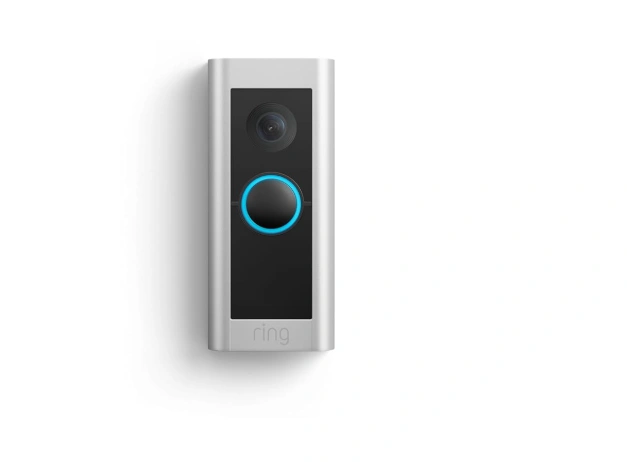
When it comes to front-door monitoring, there’s nothing like the Ring Video Doorbell Pro 2. Incorporates 1536p HD video, hardwired bird’s-eye view motion radar and head-to-toe framing. Designed for those using Alexa who would like to have full front door visibility and smart package detection.
Best For: People who want front door security, package tracking and heavy Alexa integration in their home.
Key Features:
- 1536p HD with field of view head to toe
- Motion detection using 3D radar, which gives a bird’s-eye view of the situation.
- Built-in transformer for hard wired, continuous power supply.
Pros:
- The best field of view among all doorbell cameras
- Radar motion detection is extremely accurate.
- No power and battery problems.
Cons:
- Hardwired installation might be complicated
- Video history and smart alerts requires Ring Protect plan
- Premium price in comparison to other doorbell cameras.
Price Range:
- $199 – $230
Home Security Cameras Comparison Table
| Camera | Resolution | Storage | Subscription Needed | Price Range |
| Ring Floodlight Cam Wired Pro | 2K | Cloud | Yes | $250–$280 |
| Arlo Pro 5S 2K | 2K HDR | Cloud + Local | Optional | $199–$249 |
| Eufy SoloCam S340 | 3K | Local (microSD) | No | $159–$180 |
| Wyze Cam v4 | 2K | Local (microSD) | Optional | $35–$40 |
| Google Nest Cam (Battery) | 1080p HDR | Cloud | Optional | $179–$199 |
| SimpliSafe Indoor Camera | 1080p | Cloud | Yes | $99–$149 |
| Reolink Argus 4 Pro | 4K | Local (microSD) | No | $120–$150 |
| TP-Link Tapo C425 | 2K | Local + Cloud | Optional | $40–$70 |
| Blink Outdoor 4 | 1080p | Local (Sync Module) | Optional | $70–$100 |
| Ring Video Doorbell Pro 2 | 1536p | Cloud | Yes | $199–$230 |
Do You Really Need a Home Security Camera Subscription?
Not necessarily! It depends on what you are looking for. Typically, free plans include live viewing with basic motion alerts. Video history, AI detection, and cloud backup are features for paid plans. No subscription is required if using local storage (microSD or home hub). Eufy, Reolink, and Wyze cameras can be an excellent choice for those who want to use a camera system without subscriptions. A plan is a good idea if you are looking for professional monitoring and long-term cloud storage.
How to Choose the Best Home Security Camera for Your Home
Step 1: Identify Your Coverage Areas
Have a stroll around the house and note down the entry points. Most important areas are driveways, front doors, back gates and windows. List making before shopping will provide you with what number of cameras you require and whether you need indoor or outdoor cameras or both.
Step 2: Decide on Indoor, Outdoor, or Both
Outdoor cameras are typically more critical for purposes of theft prevention. In home cameras are exceptional if you have to check on your pets, kids, or a certain room. Many home owners opt to use a combination of both to get the full coverage of the house.
Step 3: Set Your Budget (Including Subscriptions)
Don’t take the sticker price for granted. Calculate the annual subscription fees, as they can quickly outrun the cost of the camera. For those on a budget, a Wyze or Eufy camera will offer local storage at its base price, making them ideal options for affordable home protection.
Step 4: Select Your Ecosystem
Already using Alexa? Check out Ring or Wyze. In the Googleverse? Go Nest. On Apple HomeKit? Arlo and Eufy are your best options. When you mix ecosystems, you will get headaches so stay in your lane and make your everyday life easier with cameras that are compatible with your existing ecosystem.
Step 5: Local or Cloud Storage?
Cloud storage is convenient and off-site so your footage can’t be lost if someone steals the camera. The local storage is private and free of charge (apart from the hardware price). If it is possible and fits your budget, choose a camera that has the capacity of both.
Ending Note
In conclusion, investing in modern home security cameras is one of the smartest ways to safeguard your family, property, and peace of mind. With advancements such as AI motion detection, high-definition 2K or 4K video, and real-time mobile alerts, today’s cameras offer both intelligence and convenience that traditional CCTV systems lacked. Whether you prefer a subscription-free model with local storage or a cloud-connected setup with advanced smart features, there’s an option suited for every home and budget.
These systems not only act as a powerful deterrent against theft and vandalism but also allow remote access, helping you stay connected wherever you are. As technology continues to evolve, the importance of reliable home surveillance will only increase, making it essential to choose a trusted, future-ready solution that ensures safety, security, and complete control at your fingertips.