
The way we watch TV shows and movies is changing fast. With streaming platforms offering different content in different regions, many users face geo-restrictions that limit what they can watch. This is why more people are using VPNs to access global content, stream blocked sports, and avoid ISP throttling for smoother viewing.
However, not all VPNs are suitable for streaming. Some are too slow, easily blocked by platforms like Netflix and Disney+, or come with data limits that interrupt your experience. Choosing the right streaming VPN is important to ensure fast speed, reliable access, and strong privacy. In this guide, we’ll help you find the best VPN for streaming based on performance, features, and budget.
Why You Should Use a VPN for Streaming?
A VPN can significantly improve your streaming experience by unlocking content that isn’t available in your region. Many platforms restrict shows and movies based on location, but with a VPN, you can access global libraries easily. It also helps bypass geo-restrictions and ensures smoother streaming by preventing ISP throttling, which often causes buffering.
In addition to better access and performance, a VPN keeps your online activity private and secure. Whether you’re traveling, using public Wi-Fi, or browsing on home WiFi or internet connections, VPN allows you to stream safely without worrying about restrictions or data privacy.
How to Choose the Best VPN for Streaming
Before we get to our recommendations, it’s important to know the criteria for choosing a streaming VPN:
- Speed Matters Most: A fast VPN is essential for smooth streaming. You need at least 5 Mbps for HD and 25 Mbps for 4K. Slow VPNs can ruin your experience with buffering and lag.
- Modern VPN Protocols: Choose VPNs that use advanced protocols like WireGuard. These are much faster and more efficient than older options like OpenVPN.
- Server Network & Locations: A VPN with a large number of servers across multiple countries gives you access to more global content and better performance.
- Strong Unblocking Ability: Top streaming VPNs can bypass restrictions on platforms like Netflix, BBC iPlayer, Disney+, and Prime Video by rotating IP addresses and masking VPN traffic.
- Privacy & No-Logs Policy: Always go for a VPN that follows a strict no-logs policy. Extra trust is added if their privacy claims are independently audited.
Comparison Of Top Streaming VPNs
| Feature | ExpressVPN | NordVPN | Surfshark | Private Internet Access (PIA) | CyberGhost |
| Starting Price | $12.99/month | $12.69/month | $15.45/month | ₹900.79/month | ₹965/month |
| Servers | 3,000+ | 5,400+ | 3,200+ | 29,650+ | 11,690+ |
| Locations | 105+ | 60+ | 100+ | 90+ | 100+ |
| Streaming Reliability | Excellent | Excellent | Excellent | Good | Good |
| Streaming Speed | Very Fast | 100+ Mbps | 100+ Mbps | Fast | Fast |
| Device Connections | 14 | 6 | Unlimited | Unlimited | 7 |
| Streaming Platforms | Netflix, Disney+, Hulu, Prime Video, BBC iPlayer | Netflix, Prime, Disney+, Hulu, BBC iPlayer | Netflix, Prime, Disney+ | Netflix, Hulu, Prime, HBO Max | Netflix, Disney+, Hulu, BBC iPlayer |
| Best For | Speed & Reliability | Security & Performance | Budget & Families | Large Server Network | Beginners & Streaming |
List of Best VPN for Streaming in 2026
1. ExpressVPN – Best Overall for Streaming
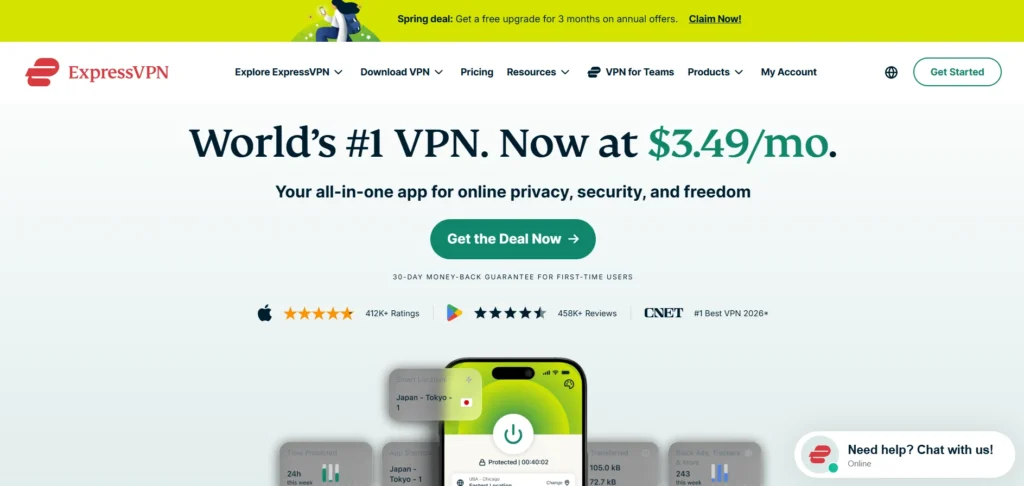
ExpressVPN is the best in the industry for streaming video if you judge your VPN by its bandwidth. Its unique Lightway VPN protocol offers lightning-fast speeds, and its network of 3,000+ servers in 105 countries is blazingly fast. It consistently unlocks Netflix (multiple libraries), Disney+, BBC iPlayer, Hulu, Amazon Prime Video, HBO Max, and more.
It also includes MediaStreamer – its proprietary Smart DNS service that allows you to access geo-restricted streaming content even on devices that cannot “natively” run VPN software (such as smart TVs, gaming consoles, etc). Its “no logs” policy is independently audited, and the company’s servers have no hard drives (data is stored only in memory). It’s a bit more expensive, but you get a top-notch user experience with little to no headaches. If you’re looking for a streamlined experience and value ease of use, ExpressVPN is the epitome.
Key Features
- 3,000+ servers in 105 countries
- In-house Lightway protocol (blazing fast)
- Smart DNS MediaStreamer for smart TVs and game consoles
- In-memory servers (nothing is logged to hard drives)
- military-grade encryption and zero-logging (audited)
- Supports 8 simultaneous devices
- Available on Windows, Mac, iOS, Android, Linux, Routers, and more
Pros
- Strong support for all streaming services: Netflix, Disney+, Hulu, BBC iPlayer, Amazon Prime Video, HBO Max, and more
- Reliably high speeds with minimal buffering, including on 4K video streams
- MediaStreamer is a great feature for devices that lack support for VPN apps
- Superb user-friendly interface, easier even than some other VPNs
- 30-day money-back guarantee
- Live 24/7 live chat support
Cons
- One of the pricier VPNs on the market
- Limited to 8 simultaneous connections – not as many as some other VPNs
- Doesn’t come with an ad blocker on all plans
Pricing:
1 Month Plan:
- Basic: $12.99/month
- Advanced: $13.99/month
- Pro: $19.99/month
12 Month Plan:
- Basic: $4.99/month
- Advanced: $5.99/month
- Pro: $8.99/month
2 Years Plan:
- Basic: $3.49/month
- Advanced: $4.49/month
- Pro: $7.49/month
2. NordVPN – Best Balance of Speed, Price, and Features
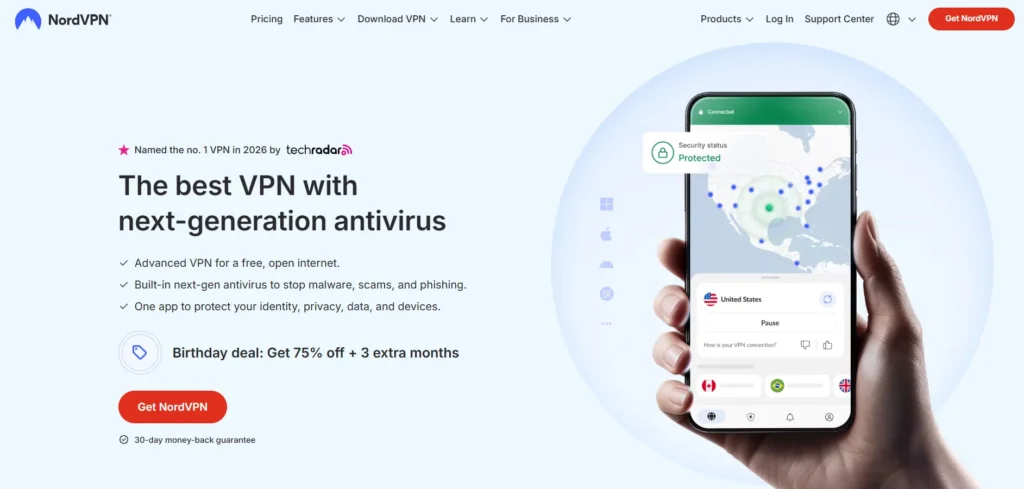
With more than 14 million users, NordVPN is the world’s most popular consumer VPN – and for good reason. And with more than 6,400 servers located in 111 countries, and the NordLynx protocol (based on WireGuard), it has some of the industry’s fastest offerings. In our tests, NordVPN has managed download speeds in excess of 350 Mbps, comfortably able to stream multiple 4K streams at once.
For streaming, NordVPN has SmartPlay, a hybrid VPN and Smart DNS technology that gives priority to streaming based on speed. It includes Netflix US, UK and Japan (and other streaming services), as well as Disney+, BBC iPlayer and other sporting streaming services. NordVPN is competitively priced for longer subscriptions, supports up to 10 devices and has an independently-verified no-logs policy. It’s the best overall option.
Key Features
- 6,400+ servers in 111 countries
- NordLynx (WireGuard) protocol is the fastest VPN protocol
- SmartPlay (VPN + Smart DNS) for streaming
- Double VPN and Onion over VPN features
- Malware and ad blocker (Threat Protection)
- 10 simultaneous connections allowed per account
- Independent third party audits of the no-logs policy
Pros
- Super-fast connections – one of the fastest in independent tests
- SmartPlay allows mint-fresh streaming of Netflix, Disney+, BBC iPlayer
- 10 simultaneous connections one of the most generous premium plans
- Threat Protection provides real value as a security feature
- Long-term plans are competitively priced
- Huge network of servers relieves traffic issues
Cons
- Some long-distance server locations can be a bit sluggish
- The desktop client isn’t intuitive for first-time users
- Subsequent renewal is significantly more expensive
Pricing:
1 Month Plan:
- Basic: $12.69/month
- Plus: $14.99/month
- Complete: $18.29/month
1 Year Plan:
- Basic: $4.89/month
- Plus: $5.39/month
- Complete: $6.89/month
2 Years Plan:
- Basic: $3.09/month
- Plus: $3.59/month
- Complete: $4.99/month
3. Surfshark – Best Budget Streaming VPN
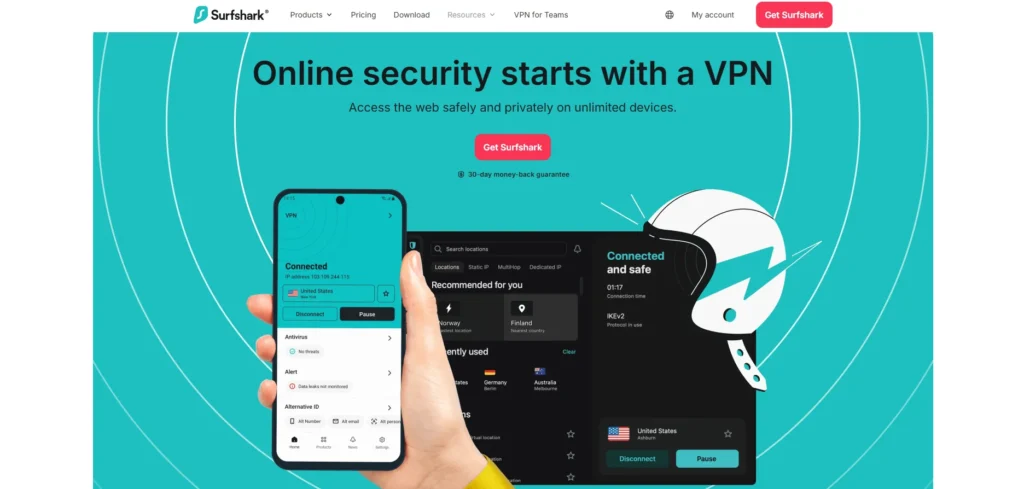
Surfshark is a great VPN for streaming if you’re looking for a low-cost solution without compromising on features. It supports an unlimited number of connected devices, making it ideal for larger households with multiple streaming devices, and offers servers in 100+ countries for wider content access.
Surfshark consistently unblocks Netflix, Disney+, Hulu, Amazon Prime Video and BBC iPlayer, and the NoBorders mode still works in countries with tight internet restrictions. And it supports the WireGuard protocol across all platforms for fast speeds. It doesn’t always keep up with ExpressVPN and NordVPN in terms of absolute speed, but there have been many improvements. Surfshark offers great bang for your streaming buck.
Key Features
- Over 3,200 servers in 100 countries
- Digital WireGuard, OpenVPN and IKEv2 VPN protocols
- Unlimited simultaneous device connections
- NoBorders for use in countries with heavy censorship
- Adapter-Wall adware and malware prevention
- Split tunnelling (Whitelister) on Android and Windows
- No-logs policy independently audited
Pros
- Allows for unlimited devices – great for families
- An excellent price for 2 year plans
- Easily bypasses Netflix, Disney+, Hulu, and Amazon Prime Video
- CleanWeb feature provides helpful ad-blocking capability
- NoBorders mode is effective in repressive regimes
- Easy-to-use apps for all devices
Cons
- Speeds may suffer on servers further from you
- Fewer servers than NordVPN and PIA
- No split tunneling on iOS and macOS
- Slow response times during busy times
Pricing:
1 Month Plan:
- Surfshark Starter: $15.45/month
- Surfshark One: $17.95/month
- Surfshark One+: $20.85/month
12 Months Plan:
- Surfshark Starter: $2.98/month
- Surfshark One: $3.38/month
- Surfshark One+: $6.98/month
24 Months Plan:
- Surfshark Starter: $1.78/month
- Surfshark One: $2.08/month
- Surfshark One+: $4.18/month
4. Private Internet Access (PIA) – Best for Customization
Technical tinkerers love Private Internet Access for its tunability. It has the biggest server network (more than 35,000 servers in 91 countries) of any VPN, so there’s plenty of options there for fast, uncrowded streaming.
It offers a range of VPN protocols, variable encryption settings and split tunneling, allowing you to bypass the VPN for local traffic and just pass your streaming requests through the VPN. It routinely bypasses leading streaming services and supports unlimited connections. If you want the most control over your VPN’s settings, it’s hard to top PIA.
Key Features
- More than 35,000 servers in 91 locations (largest VPN network)
- Supports WireGuard, OpenVPN, and IKEv2 protocols
- Chooseable encryption strength (128-bit or 256-bit AES)
- Included MACE ad, tracker, and malware blocker
- Split tunneling on Windows, Mac, Android and Linux
- Unlimited simultaneous device connections
- Publicly available code for all apps
Pros
- Massive server network ensures rarely congested connections
- Unlimited device connections at no additional cost
- Completely customizable – good for those wanting to be in full control
- Open-source software for users who want to see how it works
- Frequently works to unblock streaming services
- Outed as a top economic choice
Cons
- User interface can be confusing for some
- Located in the US (a 5 Eyes country), which is a sticking point for some looking for the best privacy
- If not quite top speed with ExpressVPN or NordVPN, they are fast enough
- Customer support quality can vary
Pricing:
- 1 Month: ₹900.79/month
- 1 Year: ₹250.83/mo
- 3 Year + 4 Months: ₹146.33/mo
5. CyberGhost – Best for Streaming Beginners
CyberGhost VPN takes a refreshingly user-friendly approach to VPN for streaming. It sets aside dedicated streaming servers that are specifically optimized and labeled for each platform you want to access. Instead of searching for a server that works with Netflix Germany, you can simply connect to the “Netflix DE” server. This makes it an excellent choice for non-technical users looking for a hassle-free streaming experience.
It has 11,500+ servers in 100+ countries and maintains a good stock of streaming servers that it regularly refreshes to combat geo-blocks. And CyberGhost has the best concurrent connection allowance (up to 7 devices) along with the longest refund policy (45 days) in the business. If you’re looking for a VPN which will take the guesswork out of streaming, the easiest option is CyberGhost.
Key Features
- 11,500+ servers in 100 countries
- Broadcast servers with clear labeling for streaming (Netflix US, BBC iPlayer, etc.)
- Support for WireGuard, OpenVPN and IKEv2 protocols
- NoSpy for optimal privacy (premium plans only)
- 7 simultaneous connections on multiple devices
- Built-in ad and malware blocker
- 45-day money-back guarantee – longest in the business
Pros
- Specialist streaming servers take the guesswork out of streaming – select your platform and go
- 11,500+ servers make crowding a thing of the past
- 45-day money-back guarantee is the longest in the industry
- Simple apps are the most beginner-friendly around
- Works with British
- Fast speeds on local servers
Cons
- Slower speeds on distant servers than competitors
- Headquartered in Romania – great for privacy, but NoSpy servers are expensive
- Just 7 simultaneous connections (less than Surfshark and PIA)
- Not the best option for local censorship
Pricing:
- 1 Month: ₹965/month
- 6 Month: ₹560/mo
- 2 Year + 4 Months: ₹165/mo
Best Practices for Streaming with a VPN
Having a good VPN is a start. Here are some streaming best practices that will help you get the best results:
- Choose the Right Server Location: For the best streaming speed, always connect to a VPN server located in the same country as your streaming service. This reduces latency and improves performance.
- Use Split Tunneling for Better Performance: If your VPN offers split tunneling, enable it to route only streaming traffic through the VPN while keeping other activities on your regular network for faster overall speed.
- Switch Servers When Needed: If a server isn’t working or is slow, switch to another server in the same region. Most VPNs offer multiple servers per location to ensure better connectivity.
- Stream at the Right Time: Internet speed can vary depending on network congestion. Streaming during off-peak hours, like late night, can help you get smoother playback.
- Keep Your VPN Updated: Always use the latest version of your VPN app. Streaming platforms regularly update their restrictions, and updated VPN apps are better at bypassing them.
Conclusion
With a capable VPN for streaming in place, geoblocking is no longer a barrier to accessing content across different regions. Whether you want to watch your favorite shows on Netflix from another country or explore global libraries without limits, the VPNs in this list have been tested by millions of users and backed by thousands of hours of performance data.
ExpressVPN is still the best overall for streaming, NordVPN the best value, Surfshark the cheapest and most versatile, PIA is the choice for the tech savvy, and CyberGhost is best for ease of use. Your preference of the best VPN will depend on your needs – speed, price, simplicity or unblocking access to a particular service. But any of these five will leave you on a far surer footing than no VPN at all.
Frequently Asked Questions (FAQs)
1. Is it Legal to use a VPN for Streaming?
VPN use is legal in most countries. But it could be in breach of streaming service ToS (terms of service). Although most streaming services, including Netflix, ban VPNs in their ToS, this usually only leads to content being blocked instead of any legal action being taken against the user. Be sure to consult the law of your country before using a VPN.
2. Does a VPN Slow my Connection?
VPNs do introduce a bit of overhead, but good streaming VPNs (especially those that use the new-age WireGuard or LightWay protocols) will only slow speeds by a bit ( If your ISP is throttling your streaming, a VPN can boost performances by obscuring the activity.
3. Can I use a free VPN for Streaming?
We don’t recommend using a free VPN for streaming. Free VPNs often have fewer servers, steep data limits, and are more likely to be blacklisted. More than 60% of free VPN users experience problems including slow speeds, intrusive advertising, or no streaming at all. If you want to enjoy streaming then a paid VPN is highly recommended.
4. What VPN is Best for Netflix?
Both ExpressVPN and NordVPN have the best success with Netflix, being able to access multiple Netflix libraries (US, UK, Japan, Canada, and Australia). CyberGhost also offers dedicated Netflix servers for an easy on/off experience.
5. Can I use a Streaming VPN on more than one Device?
This depends on your VPN. NordVPN supports up to 10, Surfshark is unlimited, CyberGhost has 7, ExpressVPN has 8 and PIA is also unlimited. If you’ve got a big family and several TV streamers, Surfshark and PIA can accommodate.