

10 Best VPN for Linux: Top Secure and Reliable Options for 2025
Linux OS, which is popular with developers, privacy enthusiasts, and power users around the globe, is the epitome of controls and customization. Its open-source quality has provided transparency, but it also has special requirements in VPN services. A VPN based on Linux should fit perfectly with various operating systems (such as Ubuntu, Debian, and Arch) and leave the user free to choose to either use the Command Line Interface (CLI) or the Graphical User Interface (GUI), unlike Windows or macOS, where proprietary graphical applications are the default.
Linux users have been using manual setup or cumbersome command-line utilities over the years. The top VPNs will have made a breakthrough and provide custom applications that take advantage of the speed of the open-source WireGuard protocol and use the additional features that Linux users need, such as audit-supported security, control over their network, and advanced capabilities, such as an effective Kill Switch.
This tutorial will offer an in-depth examination of the top 10 VPN for Linux vendors that perform optimally with the OS, exploring their clients, protocol compatibility, and commitment to transparency aligned with the open-source paradigm.
Critical Success Factors of Linux VPN:
- Dedicated GUI vs. CLI: The contemporary framework is a dedicated GUI client (such as NordVPN, just released) that eliminates the necessity to make regular use of the terminal to make simple connections.
- WireGuard Integration: The WireGuard protocol is a fast, but efficient protocol that must be seamlessly supported.
- Open-Source Commitment: Linux users typically seek providers to maintain beneficial open-source code for their clients, facilitating various examinations and audits.
- Leak Protection: Rock-solid IPv6 protection and DNS leak protection that can work without a highly curated environment.
List of VPN for Linux Users
1. NordVPN
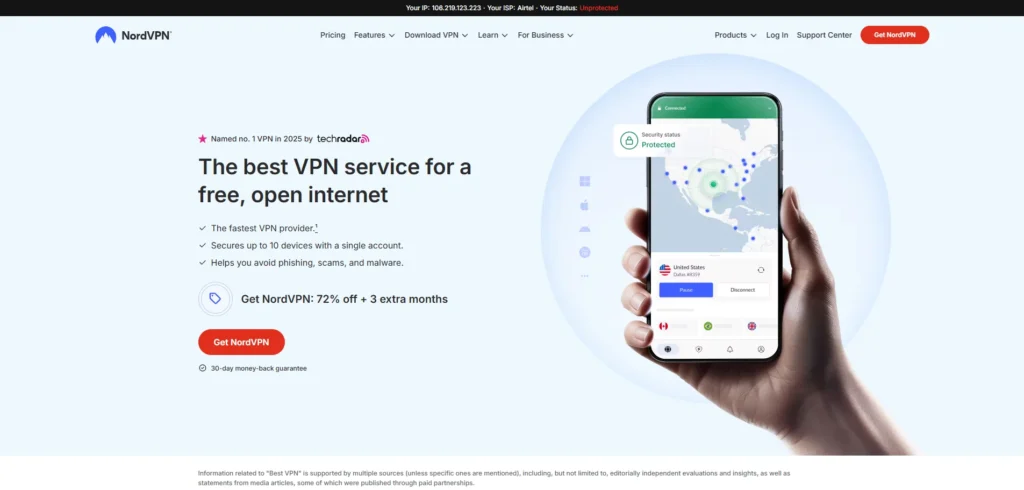
Website: https://nordvpn.com/
Pricing: $2.99/month
By introducing a specific Graphical User Interface (GUI) on Linux distributions (released through DEB and RPM packages) recently NordVPN has cemented itself as one of the overall top choices of the Linux user in 2025. This is a radical move that removes the use of the command line and yet preserves the solidity that the original CLI had. NordVPN uses its own protocol NordLynx (which is based on WireGuard) to provide excellent speed and security.
Users of Linux get complete access to the dedicated servers (Obfuscated Servers, which evade censorship, and Double VPN, which provides multi-hop security). VPN for Linux like NordVPN offers a proven no-logs policy, built in Panama, and is powerful, intuitive, and highly secure. This makes it a great choice for privacy-conscious Linux enthusiasts.
Key Features:
- Dedicated Linux GUI Client (New)
- NordLynx (WireGuard) Protocol for faster and secure connections
- Obfuscated Servers to bypass censorship and VPN blocks
- Double VPN for added encryption and privacy
- Threat Protection against malware and tracking
- RAM-only Servers for enhanced security and no data retention
- Meshnet (P2P file sharing/private network) support
- Full Kill Switch functionality
Pros:
- New GUI offers simplicity without losing advanced controls
- Fast speeds through the NordLynx protocol
- Strong security features with dedicated servers
- Good value for long-term subscription plans
Cons:
- Slightly expensive compared to budget options like Surfshark
- Interface is newer and less refined than Windows/macOS versions
2. ExpressVPN
Website: https://www.expressvpn.com/
Pricing: $6.67/month
ExpressVPN is the most preferred option to Linux users and those who consider speed and reliability of the highest priority. Although it has traditionally depended on the Command Line Interface (CLI), its app is particularly resilient and brisk, and easily accessible to a terminal application. Its performance is centered on its proprietary Lightway protocol, which is exceptionally fast and has been made less resource-intensive and therefore suitable applicable to Linux systems.
ExpressVPN takes its privacy and protection seriously, as shown by its audited no-logs policy and TrustedServer Technology (RAM-only servers). It is ideal for users seeking a VPN for Linux, especially those who rely on streaming or torrenting and want the most stable and fastest connection available worldwide.
Key Features:
- Proprietary Lightway Protocol for fast and secure connections
- TrustedServer Technology (RAM-only), ensuring no data retention
- Audited No-Logs Policy for maximum privacy assurance
- Strong CLI Client optimized for Linux users
- Full Kill Switch support for uninterrupted protection
- Servers in 105 Countries offering global coverage
Pros:
- Exceptional speed and stability across global connections
- Audited RAM-only servers provide top-tier privacy and security
- Simple, fast, and lightweight CLI interface for quick operation
- Excellent for streaming with smooth, lag-free performance
Cons:
- Fewer simultaneous connections than rival VPNs
- Relatively expensive compared to some competitors
- Command-line interface only, less user-friendly for beginners
Suggested Read: Free VPN for Disney+
3. Surfshark
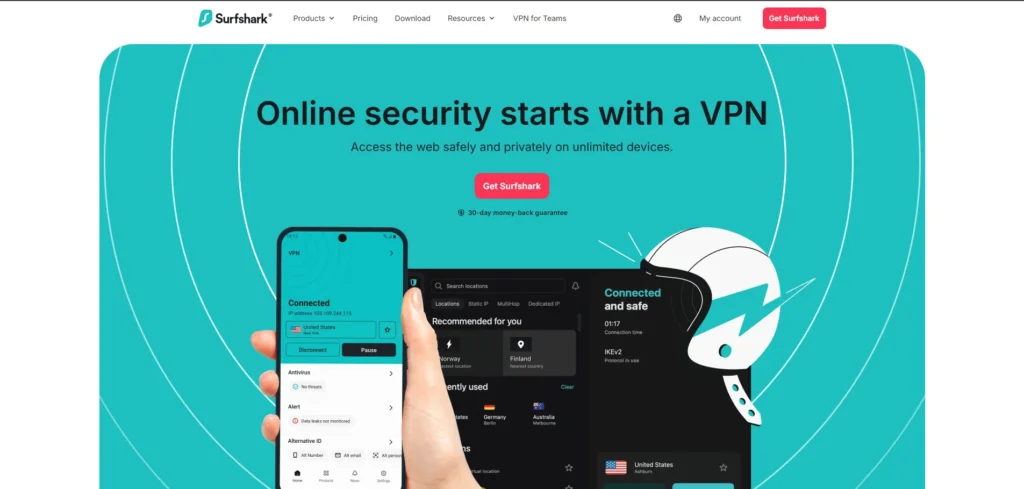
Website: https://surfshark.com/
Pricing: $2.19/month
Surfshark is the most useful VPN that can be used by Linux users who want to have a low-priced proposal without any device restrictions. It provides a special Graphical User Interface (GUI) to the popular distributions (Ubuntu, Debian, Mint), which allows full functionality without the need to use the CLI regularly. Surfshark also contributes to the high-speed WireGuard protocol and unlimited simultaneous connections, an incomparable advantage of its usage by users with several Linux machines, computers, and smartphones.
It can also be used to increase privacy through its exclusive Nexus technology that rotates IP addresses, and the Camouflage Mode (obfuscation) is very important in overcoming heavy network blocks. Surfshark offers optimal options of modern functionality, security, and cost to the Linux community.
Key Features:
- Capped or Unlimited Connections depending on the plan
- Dedicated Linux Graphic Interface for easy usability
- WireGuard Proxy for fast and secure performance
- Camouflage Mode (Obfuscation) to hide VPN usage
- Nexus Technology (IP Rotation) for enhanced anonymity
- Bypasser (Split Tunneling) support for flexible connection control
Pros:
- Highly cost-effective with the option for unlimited connections
- User-friendly Linux GUI that’s simple yet powerful
- Affordable long-term plans offering great value
- Strong security features like MultiHop and Bypass mode
Cons:
- Smaller server network compared to NordVPN and ExpressVPN
- Speeds can fluctuate on distant or overloaded servers
4. Private Internet Access (PIA)
Website: https://www.privateinternetaccess.com/
Pricing: $2.19/month
PIA is popular with Linux power users and privacy advocates for its open-source spirit and maximum configurability. It also offers a fully-featured, special-purpose GUI client that allows customization of security settings such as encryption level and port selection — a feature highly valued by the Linux community. These qualities make PIA one of the best choices for those seeking a powerful VPN for Linux.
PIA also believes in the expeditiousาigin Virgada user assists and, similarly to Surfshark, allows unlimited simultaneous clicks. The privacy guarantees of its no-logs policy have been demonstrated in court on several occasions with ease. The privacy and open-source of PIA are ideally suited to the philosophy of the Linux environment.
Key Features:
- Exclusive Open-Source Linux GUI for transparency and control
- No Limit on Simultaneous Connections across multiple devices
- WireGuard Protocol ensures high speed and strong security
- MACE (Ad & Tracker Blocker) for a safer, ad-free browsing experience
- Highly Customizable Settings for ports and encryption preferences
- Court-Proven No-Logs Policy guaranteeing verified user privacy
Pros:
- Perfect for power users seeking deep customization and flexibility
- Open-source transparency builds user trust and accountability
- Verified no-logs policy backed by court-proven evidence
- Unlimited device protection with one account across platforms
Cons:
- Complex settings and features may overwhelm new or casual users
- Based in the US, under the 5/9/14 Eyes alliance (though logs are independently audited)
5. Mullvad VPN
Website: https://mullvad.net/en/
Pricing: $5.5/month
Mullvad VPN offers the best results for privacy-maximalist Linux users. It is known for its radical approach to anonymity, allowing users to register without providing an email address and pay via cash or crypto using a unique account number. Mullvad also features a simple yet powerful GUI client for Linux, supporting both WireGuard and OpenVPN — making it an excellent VPN for Linux.
Its clarity and pricing structure are a sign of its one-way concentration on user anonymity and not marketing. Mullvad uses a no-logs policy that is audited and operates RAM-only servers, making this technically impossible to store the data of users, which is highly appreciated by the security community.
Key Features:
- No Email Required for Account Creation
- Transparent Static Pricing Model
- WireGuard Protocol for Speed and Efficiency
- RAM-Only Servers Ensuring Data Erasure After Reboot
- Audited No-Logs Policy for Verified Privacy
- Open-Source Applications for Full Transparency
- Basic Kill Switch to Prevent Data Leaks
Pros:
- Exceptional anonymity since no email or personal details are required
- High transparency with open-source clients
- Strong security due to RAM-only server architecture
- No forced long-term contracts — full flexibility for users
Cons:
- Allows only 5 simultaneous device connections
- Slightly more expensive due to the absence of long-term discounts
- Limited advanced features (e.g., lacks specialized streaming support)
6. Proton VPN
Website: https://protonvpn.com/
Pricing: $4.99/month
Proton VPN is popular among those Linux users who care about their privacy because it is headquartered in Switzerland and is highly dedicated to open-source code (including its Linux customers). Although traditionally based on a CLI, Proton VPN has also steadily advanced with its Linux-based interface
It provides several advanced features such as Secure Core (a system of multi-hop routing using hardened servers in Switzerland/Iceland) and the Stealth protocol to go further into deep censorship circumventions. The only company with an unlimited data free plan is Proton VPN, so it can be of great value to any Linux user who requires base-level protection of his/her computer all the time and without the money investment.
Key Features:
- Based in Switzerland for Strong Privacy Jurisdiction
- Open-Source Linux Client for Transparency and Security
- Secure Core (Multi-Hop) Servers for Enhanced Protection
- Stealth Protocol (Obfuscation) to Bypass Censorship
- Unlimited Data with No Tier Restrictions
- WireGuard Protocol for Speed and Stability
- Independently Audited No-Logs Policy
Pros:
- Exceptional security under robust Swiss privacy laws
- Open-source development ensures trust and accountability
- One of the best free plans with unlimited data usage
- Reliable even in countries with strict internet censorship
Cons:
- Access to full features requires a paid subscription
- Paid plans are slightly more expensive compared to competitors
- Free servers can experience a heavy user load
Suggested Read: Antivirus Software
7. CyberGhost
Website: https://www.cyberghostvpn.com/
Pricing: $2.19/month
CyberGhost is the best provider that suits Linux users who require a cheap system that is easy to use and has an enormous network. It features a strong, complete CLI client, and it does not have any issues with fast WireGuard. Another feature of CyberGhost is its largest network, comprising more than 11,000 servers spread throughout the world as well as specialized servers that are optimized for P2P, gaming, and streaming.
This huge base of servers reduces congestion and ensures excellent performance. Thanks to its transparency and independently audited no-logs policy, it stands out as a fantastic choice among Linux users. For those who want a simple yet high-performance VPN for Linux without complicated configurations, this service delivers both reliability and speed.
Key Features:
- 11,000+ Server Network with Specialized Options (Streaming, P2P, Gaming)
- WireGuard Protocol for Speed and Security
- Independently Audited No-Logs Policy
- Efficient and Stable CLI Client for Linux
- 45-Day Money-Back Guarantee
Pros:
- Extensive global server coverage ensures minimal congestion and high speeds
- Specialized servers simplify streaming, gaming, and torrenting
- Long-term subscription plans are very affordable
- Generous 45-day money-back policy adds user confidence
Cons:
- Not as effective in bypassing deep censorship compared to VyprVPN or NordVPN
- Primarily a command-line client, less beginner-friendly
8. IPVanish
Website: https://www.ipvanish.com/
Pricing: $3.33/month
Linux users need IPVanish as it has been very keen on network performance and ownership of data. The company brags that its entire server and network are owned and operated by the company, and it has greater control on security implementation and performance as compared to its rivals, who lease it.
IPVanish has a fixed CLI customer on Linux and will have unrestricted simultaneous connectivity, so it is an excellent bargain to homes. Although it falls under the US jurisdiction, its no-logs policy has been audited by itself, as its security assertions are solid, and its high speeds ensure it is a great option to use in either P2P or streaming in any Linux OS.
Key Features:
- Unlimited parallel connections,
- own and managed server network,
- WireGuard Protocol,
- Audited no-logs policy,
- Strong CLI client, Split Tunneling.
Pros:
- Network infrastructure is not limited in any way;
- all the possibilities to manage your own devices;
- stable speed to torrent and stream;
- audit by independent means.
Cons:
- Headquartered in the US (a 5/9/14 country in the Eyes)
- Linux client does not have a native GUI
- interface is outdated.
9. Hide.me
Website: https://hide.me/en/
Pricing: $2.69/month
Hide.me is a very secure and transparent service, compatible with the Linux environment, having a strong CLI client base. The hide.me is based in privacy-friendly Malaysia, but has an independent audit policy of no-logs. It also offers a generous set of features, such as the high-speed WireGuard protocol, which dynamically port forwards traffic, which can be very useful
When it comes to Linux users torrenting on their machines, hide.me provides a free option with 10GB of capped data per month and a multi-server setup that allows users to test the system before investing their money. With its balance of flexibility, privacy, and usability, hide.me stands out as a reliable VPN for Linux for both beginners and advanced users.
Key Features:
- 10GB Free Plan with WireGuard Protocol Support
- Independently Audited No-Logs Policy
- Dynamic Port Forwarding for Better P2P Performance
- Powerful Command-Line (CLI) Client for Linux
- Operates from a Privacy-Friendly Jurisdiction (Malaysia)
Pros:
- Excellent value in paid plans with robust privacy protection
- Transparent, audited no-logs policy ensures user trust
- Free version offers generous data and strong performance
- Dynamic port forwarding enhances Linux P2P usability
Cons:
- Limited server selection available in the free tier
- Smaller overall server network compared to major competitors
10. PureVPN
Website: https://www.purevpn.com/
Pricing: $1.96/month
One of the most affordable long-term offerings of PureVPN is the entry-level price for the robust performance of Linux users. It has a massive number of more than 6,500 servers and supports the use of the WireGuard protocol. PureVPN is stable in the CLI client and has done much to increase its transparency, featuring an independently audited no-logs policy.
The combination of low cost, worldwide coverage, and high performance has so far been its highlight, resulting in a solid and less expensive, but useful option among Linux users who are in need of a considerable number of servers to geo-unblock as well as reliable worldwide accessibility.
Key Features:
- 6,500+ Servers across 78 Countries
- WireGuard Protocol for Speed and Security
- Independently Audited No-Logs Policy
- Strong Command-Line (CLI) Client for Linux
- Split Tunneling for Traffic Control
- Long-Term Plans Available at Extremely Affordable Rates
Pros:
- Very budget-friendly for long-term subscribers
- Vast global server coverage ensures accessibility
- Strong performance with WireGuard support
- Independent audit enhances trust and transparency
The Linux VPN Comparison Table
| VPN Provider | Lowest Monthly Price (Approx.) | Linux Client Type | WireGuard Support | Simultaneous Connections | Audited No-Logs Policy | Linux-Specific Benefit |
| 1. NordVPN | $2.99 | GUI & CLI | Yes (NordLynx) | 10 | Yes | Dedicated GUI; Obfuscated Servers |
| 2. ExpressVPN | $6.67 | CLI Only | Yes (Lightway) | 8 | Yes | Fastest, Most Stable Lightway |
| 3. Surfshark | $2.19 | GUI & CLI | Yes | Unlimited | Yes | Unlimited Devices; GUI for ease-of-use |
| 4. PIA | $2.19 | GUI & CLI | Yes | Unlimited | Yes | Open-Source GUI; Extreme Configurability |
| 5. Mullvad VPN | $5.50 (Fixed) | GUI & CLI | Yes | 5 | Yes | Anonymous Signup/Payment; RAM-only servers |
| 6. Proton VPN | $4.99 | GUI & CLI | Yes | 10 | Yes | Unlimited Data Free Tier; Swiss Jurisdiction |
| 7. CyberGhost | $2.19 | CLI Only | Yes | 7 | Yes | 11,000+ Servers; P2P/Streaming Optimization |
| 8. IPVanish | $3.33 | CLI Only | Yes | Unlimited | Yes | Owned Network; Unlimited Devices |
| 9. hide.me | $2.69 | CLI Only | Yes | 10 | Yes | 10GB Free Tier; Port Forwarding |
| 10. PureVPN | $1.96 | CLI Only | Yes | 10 | Yes | Lowest Long-Term Price; 6,500+ Servers |
Conclusion
The Linux VPN environment has reached a maturity level. There are no longer any users who need to work around complicated manual configurations or unreliable connections. The current market is providing high strength solutions supported by audits to fit the platform.
The Linux user option is based on the compromise of usability (GUI) and anonymity (audited code):
- To the User who wants the GUI: NordVPN and Surfshark are the two best contenders, as they offer the convenience that comes with a graphical interface, without the security being compromised.
- To the CLI/Anonymity Maximalist: Mullvad VPN provides the best privacy with anonymous registration and RAM-only casing, whereas that of ExpressVPN is the best in regard to speed and stability around the world with its eminently optimized CLI.
The Linux user can not only enjoy the full performance and control of the operating system with a trustworthy VPN tunnel, but also be assured of the transparency of the provider he/she contract with since that provider supports the modern WireGuard protocol and spearheads to ensure transparency (either through open source or independent audits).
FAQs
What Is The Difference In Linux Between CLI VPN And GUI VPN?
Client CLI ( Command Line Interface ) is also entirely operated in the terminal, and the user has to type to connect, disconnect, and switch between servers. It is lightweight and fast. The client, in the form of the GUI (Graphical User Interface), is a visual and easier-to-use application that both beginners would use, and the GUI approach is preferred when viewing the connection.
Why Is WireGuard Huge For Linux Users?
WireGuard is a recent protocol that is known to be fast and efficient because it has a minimal codebase. In the case of Linux, where system resources and speed are heavily considered, WireGuard offers a faster and more reliable connection than the outdated and less bandwidth-efficient OpenVPN protocol.
Can Only Linux Experts Use These VPNs?
No, if you choose a GUI client. Such services as NordVPN and Surfshark provide special graphical tools: it is as simple as clicking a button and requires no communication with the command line to be used to make simple work.
What Is The Advantage Of A VPN For An Open-Source Linux Client?
Open-source code enables vulnerabilities, backdoors, or logging mechanisms by security experts and the general population to scan through the application code of the VPN. Such transparency is consistent with the main philosophy of Linux and gives a greater level of trust and validation.