Cybercrime is on the rise and ransomware hit a 58% growth in 2025 with more than 6 billion pieces of malware detected worldwide. Annual worldwide damages from cyberattacks will exceed $10 trillion by 2026. Hackers are not only going after enterprise businesses, they are targeting individuals with viruses, spyware and ransomware attacks.
In 2026, having antivirus solution is essential, be it for a laptop or home network. This guide is based on 3 months of testing over 40 Antivirus Software. We tested them for real-time antivirus, speed, impact to system and cost.
Here, we will share our best antivirus recommendations, comparison table and buying guide.
What Is Antivirus Software?
Antivirus is a type of computer program that stops unwanted software, such as viruses, malware and spyware. It scans and eliminates threats before they can infect your computer and steal your personal information.
Here’s a brief list of threats antivirus software helps protect you against:
- Virus: A software that replicates and infects other files on your computer.
- Malware: A catch-all term for any malicious software, including viruses, ransomware and spyware.
- Ransomware: Encrypts your files and asks for a ransom to release them.
- Spyware: Tracks your online behaviour and sends your data to cybercriminals.
Antivirus is more than just virus scanning. Today’s tools provide real time scanning, artificial intelligence, and cloud based scanning, preventing attacks in real time, even before the threat is released.
Old antivirus tools check if your computer has a virus. Modern antivirus software uses artificial intelligence to detect unusual behavior which is an effective way to catch new and unknown threats.
How Does Antivirus Software Work?
Antivirus systems today employ several different protective “layers”. We will explain what happens step by step:
1. Signature Based Detection
This is the most conventional approach. The software has a database of malware signatures that work like fingerprints of viruses. If a file’s signature matches one in the database, it is stopped. It’s quick and efficient but doesn’t protect against new malware.
2. Heuristic Analysis
Heuristic analysis examines a file’s code to find patterns of concern, rather than looking for specific signatures. This can detect new or unknown viruses by looking for code that behaves like a virus, but is not listed in the database.
3. Behavioral Monitoring (Real Time)
This involves monitoring how apps behave while they’re running. For example, if a program starts to encrypt your files, or tries to access your webcam, then the antivirus will block it. This is a very good method of dealing with ransomware and zero-day attacks.
4. AI & Machine Learning Detection
AI antivirus uses machine learning to learn from millions of threat patterns, to detect threats more quickly and effectively. Machine learning models are “fed” new attack samples so the more it learns, the better it performs. This means it can catch sophisticated, targeted attacks that traditional antivirus can’t.
5. Cloud Based Threat Intelligence
Scan to cloud offloads suspicious files to the cloud to minimise the resources used. Plus, threat information is instantly updated the moment a new threat emerges, all users are protected in just minutes.
Do You Really Need Antivirus In 2026?
Yes! More than ever. As cybercriminals increasingly use artificial intelligence (AI) to conduct cyber warfare, phishing attacks and ransomware on average users, it’s impossible to stay safe without protection.
Is Windows Defender Enough?
Windows Defender has a long way to come but it is free. However, it doesn’t have extra security features such as VPN, identity theft protection, dark web monitoring and ransomware rollback. It’s fine for casual use by the general public but pay for an antivirus for good protection.
Do Macs Need Antivirus?
Yes. The belief “Macs don’t get viruses” is false. The current rise in Mac viruses includes adware and spyware. Mac antivirus solutions provide an additional layer of security which Apple’s default instruments may not fully provide.
Do Android/iOS Need Antivirus?
Google’s Android is more exposed than other mobile operating systems. The best mobile antivirus will protect against unsafe apps and networks and phishing URL’s. iOS is more secure, but an antivirus provides added privacy tools and unsafe network warnings.
Top 10 Antivirus Software Comparison Table
| Name | Best For | Key Features | Pros | Cons | Rating |
| Norton 360 | All-around protection | AI scanning, VPN, Dark web monitoring | Excellent detection rate, Easy to use | Slightly expensive | 9.5/10 |
| Bitdefender Total Security | Families & multi-device | Multi-layer ransomware, Anti-phishing | Lightweight, Powerful engine | UI can be complex | 9.4/10 |
| Kaspersky Premium | Budget users | Real-time protection, Parental controls | High accuracy, Affordable plans | Privacy concerns in some regions | 9.2/10 |
| McAfee Total Protection | Families (unlimited devices) | Identity theft protection, Safe browsing | Unlimited devices on one plan | Can slow system slightly | 9.0/10 |
| Avast One | Gamers | Game mode, Firewall, Anti-ransomware | Free version available, Fast scans | Frequent upgrade prompts | 8.8/10 |
| ESET NOD32 | Power users & tech savvy | UEFI scanner, Low system impact | Very lightweight, Deep scan options | Less beginner-friendly | 8.7/10 |
| Trend Micro Maximum Security | Remote workers | Email security, Privacy scanner | Strong phishing protection | Slower full scans | 8.6/10 |
| Webroot SecureAnywhere | Speed lovers | Cloud-based, Lightning fast scans | Tiny install size, Very fast | Less effective offline | 8.4/10 |
| Avira Prime | Privacy-focused users | VPN, Password manager, Junk cleaner | All-in-one privacy suite | VPN speed could be better | 8.3/10 |
| Windows Defender (Built-in) | Casual Windows users | Built-in, Auto-updates, Basic firewall | Free, No installation needed | Limited advanced features | 7.8/10 |
List Of Best 10 Antivirus Software
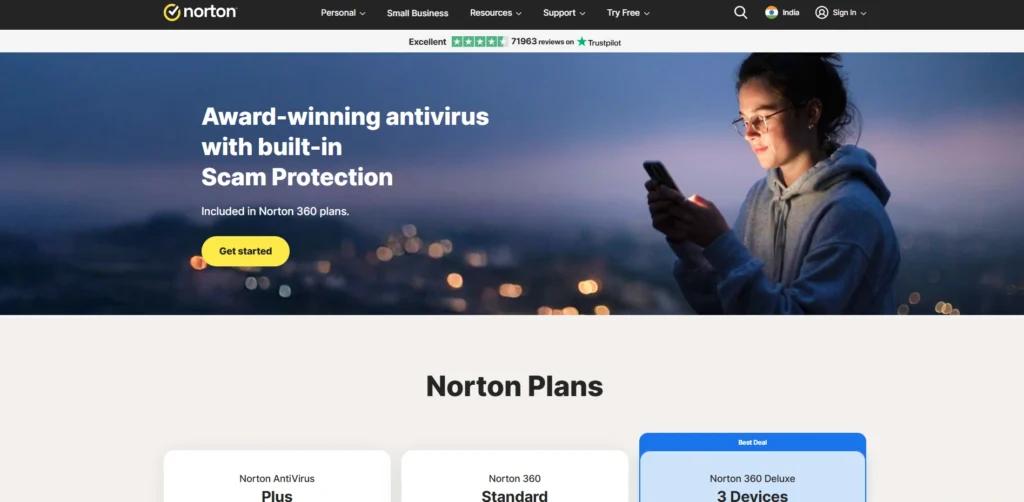
1. Norton 360
- Website: norton.com
- Best For: Overall home security
- Rating: 9.5/10.
Norton 360 is our top pick for 2026. Combined with AI-powered threat detection, it features a VPN, a password manager and dark web monitoring. It’s simple, installation takes only minutes and it protects Windows, Mac, Android, and iOS. After the first year the prices rise significantly, however its all in one value is difficult to beat.
Key Features
- Scam and deepfake detection with the help of AI.
- Unlimited bandwidth with secure VPN.
- Tracking dark web for personal data
- In-built password manager and cloud backup.
Pros
- Very good malware detection rates.
- Quick installation for those who are not tech-savvy.
- Supports all the major types of devices
Cons
- Renewal prices skyrocket after the first year
- Too many in app purchase prompts
- No Cloud Backup on lower tiers
Price:
| Plan Name | Monthly Price |
| Norton 360 Standard | $3.33/month |
| Norton 360 Deluxe | $4.17/month |
| Norton 360 with LifeLock Select Plus | $8.33/month |
2. Bitdefender Total Security
- Website: bitdefender.com
- Best For: Multi-device families
- Rating: 9.4/10
Our favourite is Bitdefender Total Security. It will safeguard as much as 5 devices without any network slowdown. It offers strong ransomware protection, parental controls with screen-time limits and webcam and mic protection. The dashboard may take some time to master, but once you do, it’s one of the most powerful suites out there.
Key Features
- Multi-layer ransomware protection
- Anti-phishing / anti-fraud filters
- Parental controls and screen time restrictions
- Shields for webcam and microphone
Pros
- Very low resource usage
- Great independent lab test results
- Supports Windows, Mac, iOS and Android
Cons
- At first glance, some of the interfaces can seem cluttered.
- VPN with a daily allowance of 200MB only.
- After the first 2 years plan, prices hike immensely.
Price:
| Plan Name | Monthly Price |
| Bitdefender Total Security | $6.67/month |
| Bitdefender Premium Security | $8.33/month |
| Bitdefender Ultimate Security | $10.00/month |
| Bitdefender Ultimate Security Plus | $16.67/month |
3. Kaspersky Premium

- Website: kaspersky.com
- Best For: Users who are looking for protection with a budget
- Rating: 9.2/10
Kaspersky Premium provides best in class protection at wallet friendly price. It is always among the top in independent virus testing. Real-time scanning, parental controls, password manager and identity theft tools are all included. In some parts of the world, some users have voiced concerns about their privacy. If that’s not a problem for you, then it’s one of the best offers out there.
Key Features
- Scan in real time or schedule one.
- Safe kids friendly interface with parental control suite
- Performance optimization tools
- Protection from identity theft
Pros
- Excellent detection accuracy
- Accessible on all devices
- Clean, beginner-friendly interface
Cons
- In certain countries, privacy issues are raised.
- Caps data speeds on lower plans
- Unavailable in some regions
Price:
| Plan Name | Monthly Price |
| Kaspersky Standard | $4.17/month |
| Kaspersky Plus | $5.17/month |
| Kaspersky Premium | $5.42/month |
4. McAfee Total Protection
- Website: mcafee.com
- Best For: Family use with large number of devices
- Rating: 9.0/10
McAfee enables you to cover all the gadgets you own with a single plan. That makes it a no brainer for big families! It comes with credit monitoring, secure web browsing and a 24/7 support team. From a single dashboard you control everything. For many homes who need to manage their phones, tablet and PCs, the unlimited license is perfect, but older laptops may experience a minor slowdown.
Key Features
- Credit monitoring and identity protection.
- Safeboxbd web browsing extension
- Built-in password manager
- Unlimited devices with PREMIUM PLAN!
Pros
- 1 license for unlimited devices.
- Powerful ID theft utilities
- 24/7 customer support included
Cons
- Works slow on older computers.
- The prices at renewal increase significantly.
- Several features seem like they’re overcomplicated.
Price:
| Plan Name | Monthly Price |
| McAfee+ Premium | $5.83/month |
| McAfee+ Advanced | $10.00/month |
| McAfee+ Ultimate | $20.83/month |
5. Avast One
- Website: avast.com
- Best For: Gamers seeking lag-free experience.
- Rating: 8.8/10
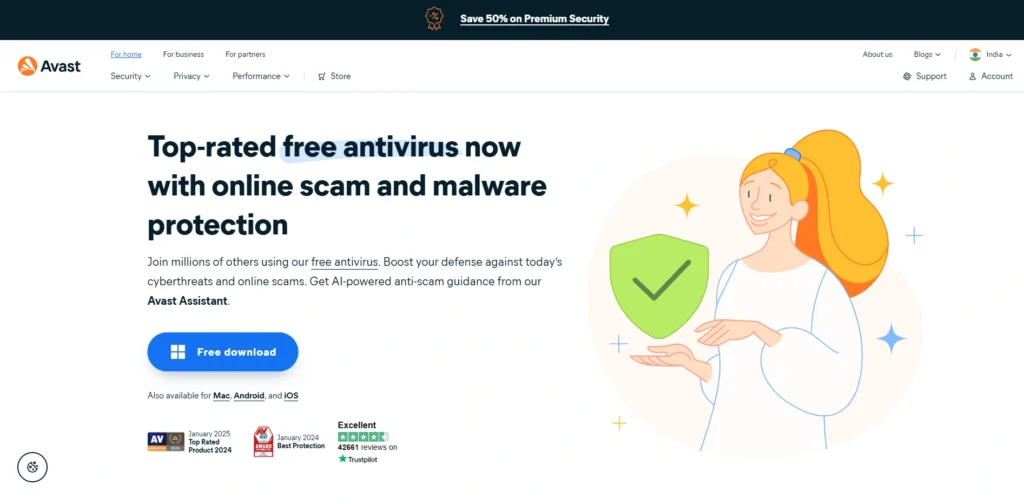
Avast One has been designed for gamers. Its game mode will disable notifications and interrupt background activities during gameplay ensuring steady frame rate. There is also a firewall, a ransomware protection feature and a Wi-Fi security scanner. It’s free and is really useful, but it’s really pushy about upgrading the plan via prompts. It’s perfect for gamers that dislike interruptions.
Key Features
- Play non-stop without interruptions
- Advanced firewall protection
- Anti-ransomware and anti-phishing
- Wireless Network security scanner
Pros
- Free version is available (solid).
- Smooth performance when playing games.
- Fast scan speeds
Cons
- Free tier will prompt often to upgrade.
- VPN is sold separately
- The past history of privacy issues that have caused controversy.
Price:
| Plan Name | Monthly Price |
| Free Antivirus | Free |
| Premium Security | $4.09/month |
| Ultimate | $4.09/month |
6. ESET NOD32
- Website: eset.com
- Best For: Advanced users and IT pros,
- Rating: 8.7/10.
ESET NOD32 is a favorite of tech enthusiasts Uses practically no system resources and yet goes deep, including checking your device’s firmware. It provides fine grained control over its protection, settings and detailed logs and reports. The interface assumes you know what you’re doing and may be too complex for the beginners but for power users, it’s a dream come true.
Key Features
- Firmware threats scanner is integrated into UEFI.
- System resources usage is extremely low
- Sophisticated per-device control
- Advanced heuristics engine
Pros
- Powerful virus removal automation
- Deep, customizable scans
- Excellent for techies
Cons
- Hard to learn to use
- Less built-in features.
- Less beginner friendly UI
Price:
| Plan Name | Monthly Price |
| ESET PROTECT Entry | $17.58/month |
| ESET PROTECT Advanced | $19.44/month |
| ESET PROTECT Complete | $22.50/month |
7. Trend Micro Maximum Security
- Website: trendmicro.com
- Best For: Remote workers, home offices
- Rating: 8.6/10
Trend Micro Maximum Security has been designed for people who work from home. It has some of the top notch email and phishing protection, blocking the attacks hackers use to get at work credentials. The Pay Guard for safe banking, the social media privacy checker and parental control are also included. Full scans will take comparatively longer, but it’s more than worth it due to all the integrated security features.
Key Features
- Pay Guard to secure online banking
- Email phishing and spam filter.
- Privacy Scanner for Social Media
- Ransomware file recovery
Pros
- Top tier phishing protection
- Email security with capabilities to handle attacks.
- Perfect for WFH (work from home) scenarios
Cons
- Full scans are slower than competitors
- VPN is an Add-On product
- May consume too many resources sometimes
Price:
| Plan Name | Monthly Price |
| Trend Micro Antivirus+ Security | $3.33/month |
| Trend Micro Internet Security | $6.66/month |
| Trend Micro Premium Security Suite | $12.50/month |
8. Webroot Secure Anywhere
- Website: webroot.com
- Best For: Speed desiring and lightweight performance for old systems
- Rating: 8.4/10.
Webroot is the fast paced antivirus. Most scans will complete in seconds as the majority of the work is performed in the cloud. The install file is small, ideal for older, lower spec computers. It can also restore any ransomware damage. The catch? Relying more on your internet connection and consuming heavy bandwidth, offline protection is less secure.
Key Features
- Cloud based scanning engine
- Lightning fast scan speeds
- Protection of identity and privacy.
- Ransomware rollback feature
Pros
- Tiny installation size
- Works well on legacy computers
- The fastest scanners that we have tested
Cons
- Low protection when offline
- Less features than the competitors
- Limited independent testing results.
Price:
| Plan Name | Monthly Price |
| Essentials 5 Device | $3.75/month |
| Premium Family | $10.42/month |
| Total Protection Family | $12.50/month |
9. Avira Prime
- Website: avira.com
- Best For: Users who value their privacy and want everything in tight budgets
- Rating: 8.3/10
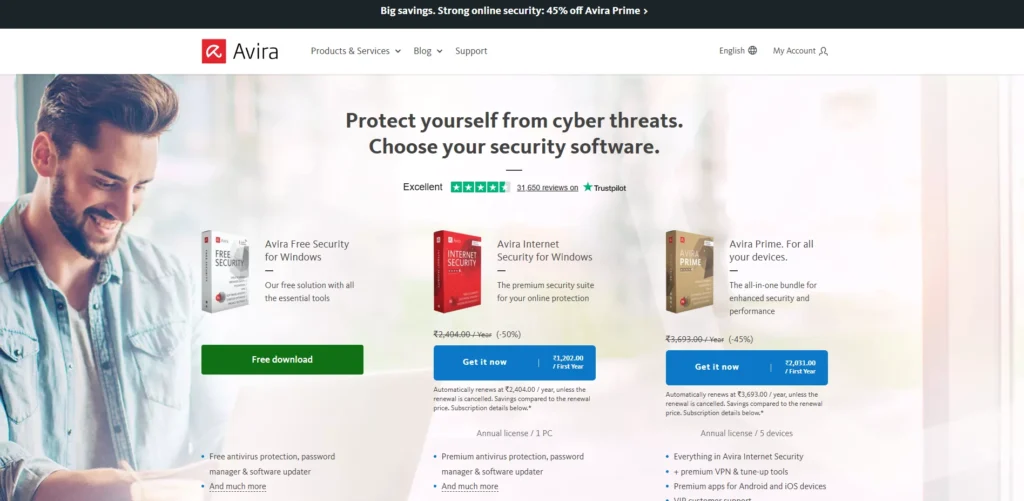
Avira Prime is the privacy conscious one’s choice. It includes antivirus, unlimited VPN, password manager with breach alerts and system cleaner. It’s compatible with Windows, Mac, Android, and iOS. Although the VPN is not the fastest on the market, it’s a great value for money if you’re looking for a single VPN suite that offers both security and privacy.
Key Features
- Unlimited VPN
- Manage passwords and receive alerts if they are compromised.
- System cleaner and Optimizer
- Cross platform device support
Pros
- All in one privacy bundle
- Great value for the price.
- Clean, simple interface
Cons
- VPN is not as fast as dedicated services.
- Weaker brand awareness than competitors
- Certain functions reserved for higher levels
Price:
| Plan Name | Monthly Price |
| Avira Free Antivirus | Free |
| Avira Antivirus Pro | $2.25/month |
| Avira Internet Security | $2.92/month |
| Avira Prime | $5.00/month |
10. Windows Defender
- Website: microsoft.com
- Best For: Casual users with no budget
- Rating: 7.8/10
Windows Defender is included free with Windows 10 and Windows 11. It automatically updates with Windows, and includes a basic virus scanner and firewall. It has made a lot of improvements in the recent years. However, it doesn’t have additional features such as VPN, dark web monitoring, ID theft protection, and complete ransomware rollback.
Key Features
- No installation is required, it is built in
- Auto updates with Windows
- Basic firewall and network security
- Enhanced protection against ransomware attacks on Windows 11.
Pros
- Completely free
- Zero setup needed
- No performance bloat
Cons
- No dark web monitoring or VPN.
- Lacks identity theft protection
- Limited advanced features
Price:
- Built into Windows for Free
Suggested Read
Free vs Paid Antivirus: Is It Worth It in 2026?
Antivirus not only provides basic protection, but also has limitations that are more important than ever in 2016. This is what you miss out on in the free version:
Free features deliver you
- No ransomware protection – free software is unlikely to have rollback or file recovery features
- Free or delayed updates – your protection may not be the latest or up-to-date
- No VPN – your connection and data is not masked when browsing public networks
- No firewall or very simple firewall
- No dark web monitoring/ identity theft
Paid features deliver you:
- Always-evolving, AI-based threat analysis
- FREE VPN for online security
- Cutting-edge firewall to secure your network
- Protection against viruses, phishing and spyware
- 24/7 support in case of problems
| Feature | Free Antivirus | Paid Antivirus |
| Ransomware Protection | No | Yes |
| Real-Time Defense | Limited | Full |
| AI-Based Detection | No | Yes |
| VPN Included | No | Yes (most plans) |
| Firewall | Basic / None | Advanced |
| Customer Support | No | 24/7 Support |
| Automatic Updates | Delayed | Instant |
| Multi-Device Support | 1 device | Up to 10+ |
Our conclusion: For those who rarely use their devices or go online, free antivirus software is just fine. But if you shop, bank, work or store any important documents on your PC, tablet or smart phone, premium options are well worth the price in 2019.
Conclusion
In 2016, cyber attacks are more intelligent, swift and deadly than ever. Antivirus protection is no longer about detecting and removing viruses: it is about real-time AI protection, privacy and ID security, too.
Our favourite is Norton 360 for all-round protection. Our best choice for families is Bitdefender Total Security. Kaspersky Premium is a great choice for those on a budget, and gamers will enjoy Avast One.
And any antivirus is better than nothing – and an antivirus costing money is better than one that’s free. Stay protected in 2026.